---
title: Create Promo/Discount Codes For Your Event
description: Create Promo/Discount Codes For Your Event
---
[Skip to content](https://zorts.zortssports.com/knowledge-base/create-promo/discount-codes-for-your-event#main-content)
English
Show submenu for translations

Open main navigation
Close main navigation
- English
Show submenu for translations
- [Help](https://zorts.zortssports.com/support_ticket)
[Help](https://zorts.zortssports.com/support_ticket?hsLang=en)
How can we help you?
- There are no suggestions because the search field is empty.
1. [Zorts Knowledge Base](https://zorts.zortssports.com/knowledge-base?hsLang=en)
2. [Event Administrators](https://zorts.zortssports.com/knowledge-base/event-administrators?hsLang=en)
# Create Promo/Discount Codes For Your Event
## Below are step-by-step instructions on how to create a promo/discount code for the registration price of your event.
1. Navigate to [http://zortssports.com](http://zortssports.com/), log into your account, and select your event.
a. Use your 'Administrator' role to view your event.
2. Click the 'Admin' --\> 'Adjustments' tabs.
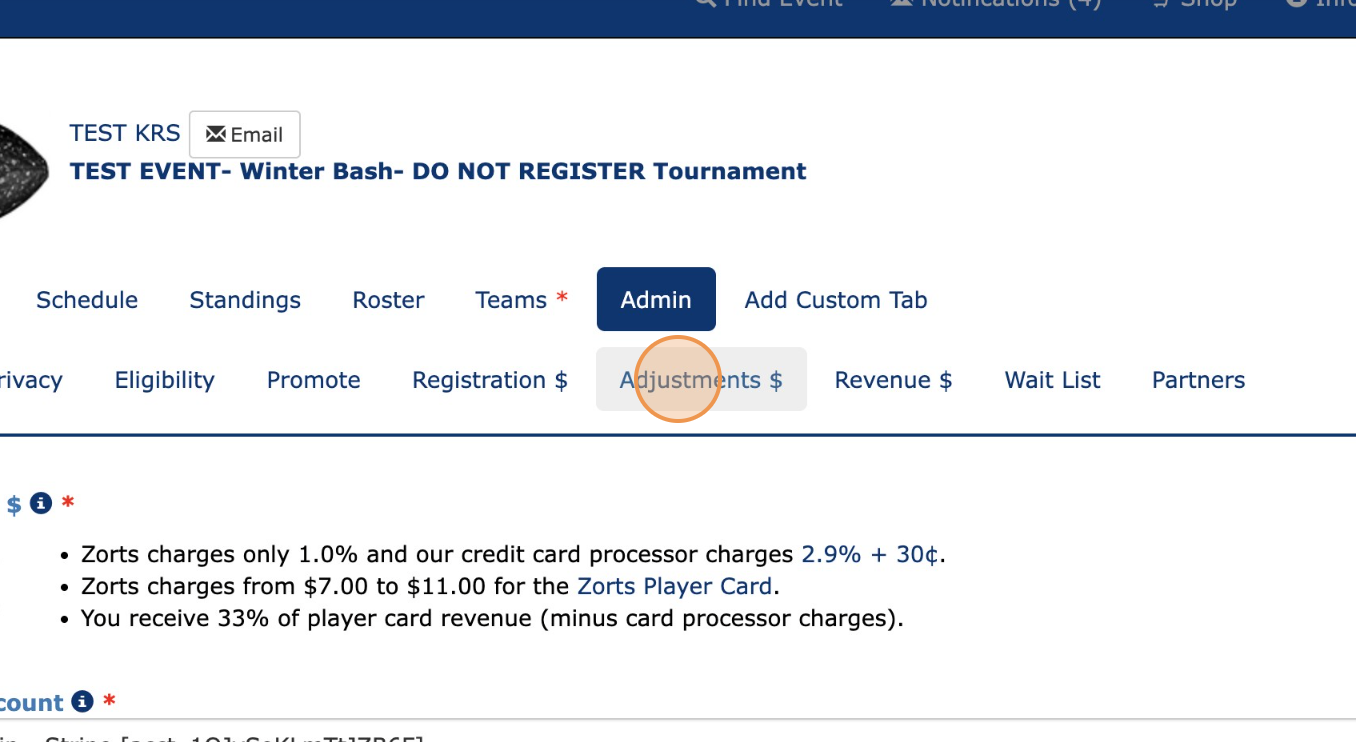
3. Click 'Add'.
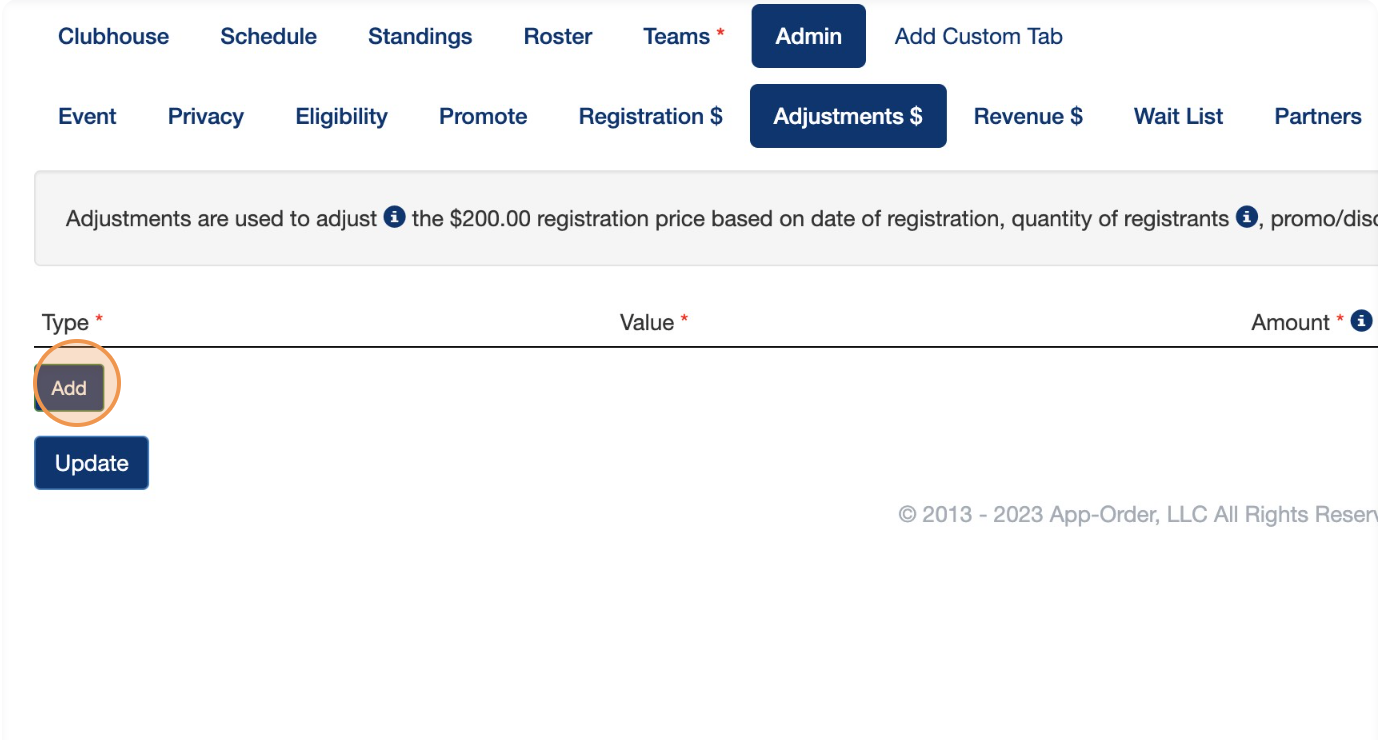
4. Click 'Select Type'.
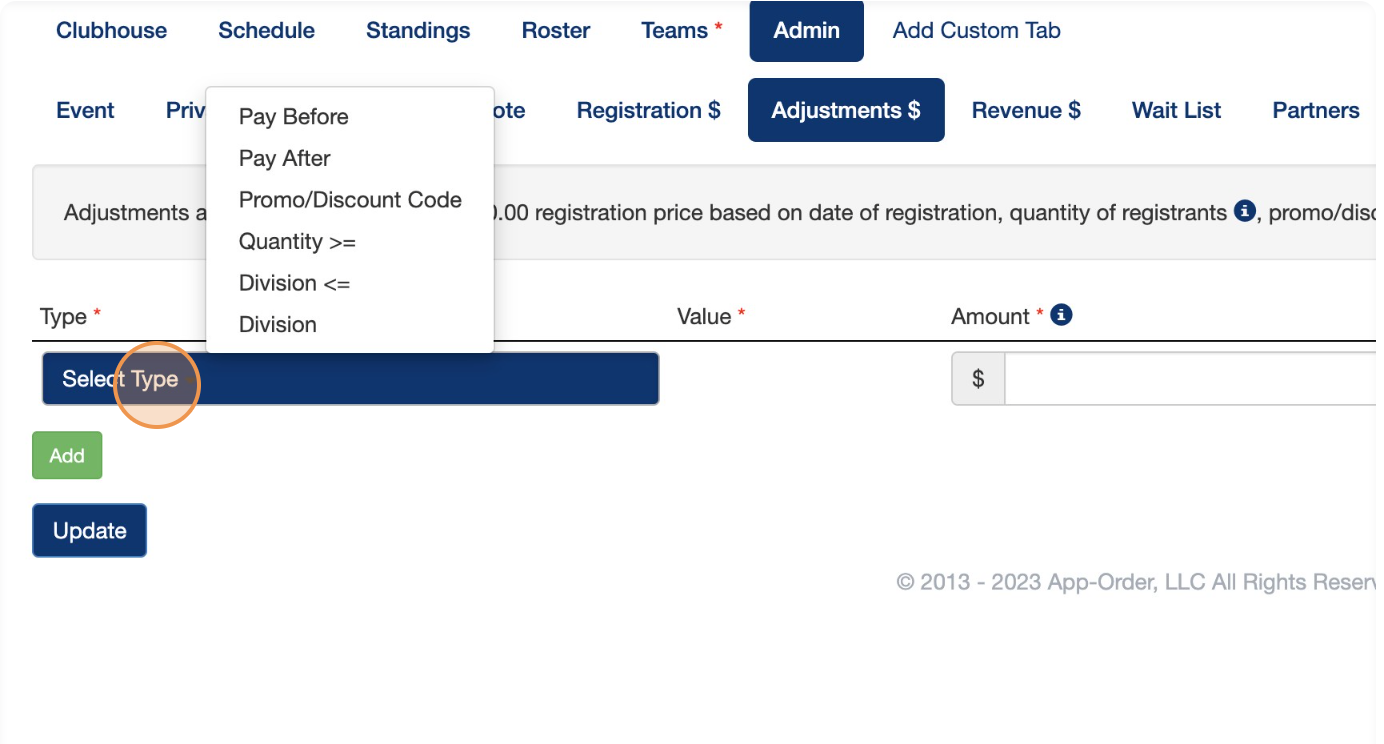
5. Select 'Promo/Discount Code'.

6. Click the 'Enter Code' field.
7. Type the name that you would like to give this promo code.
a. The code 'WINTER50' is used for this example.
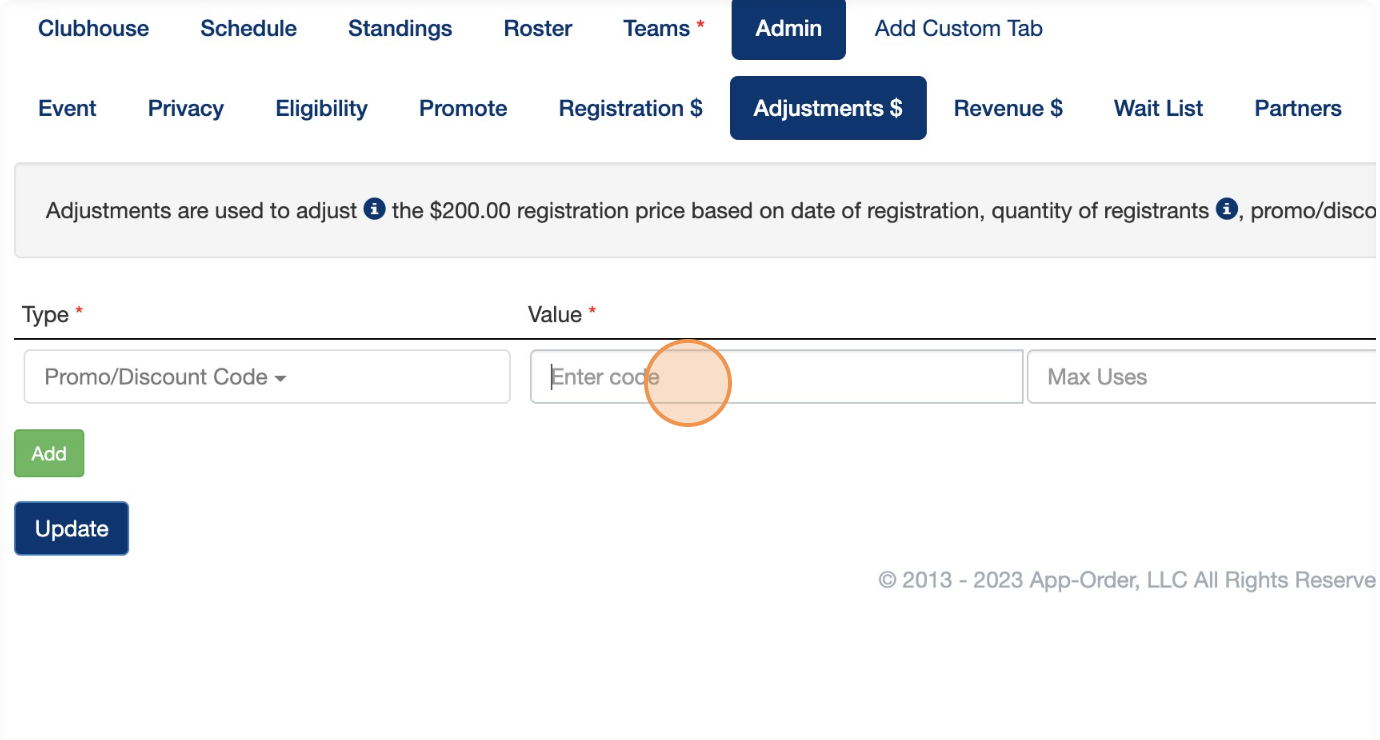
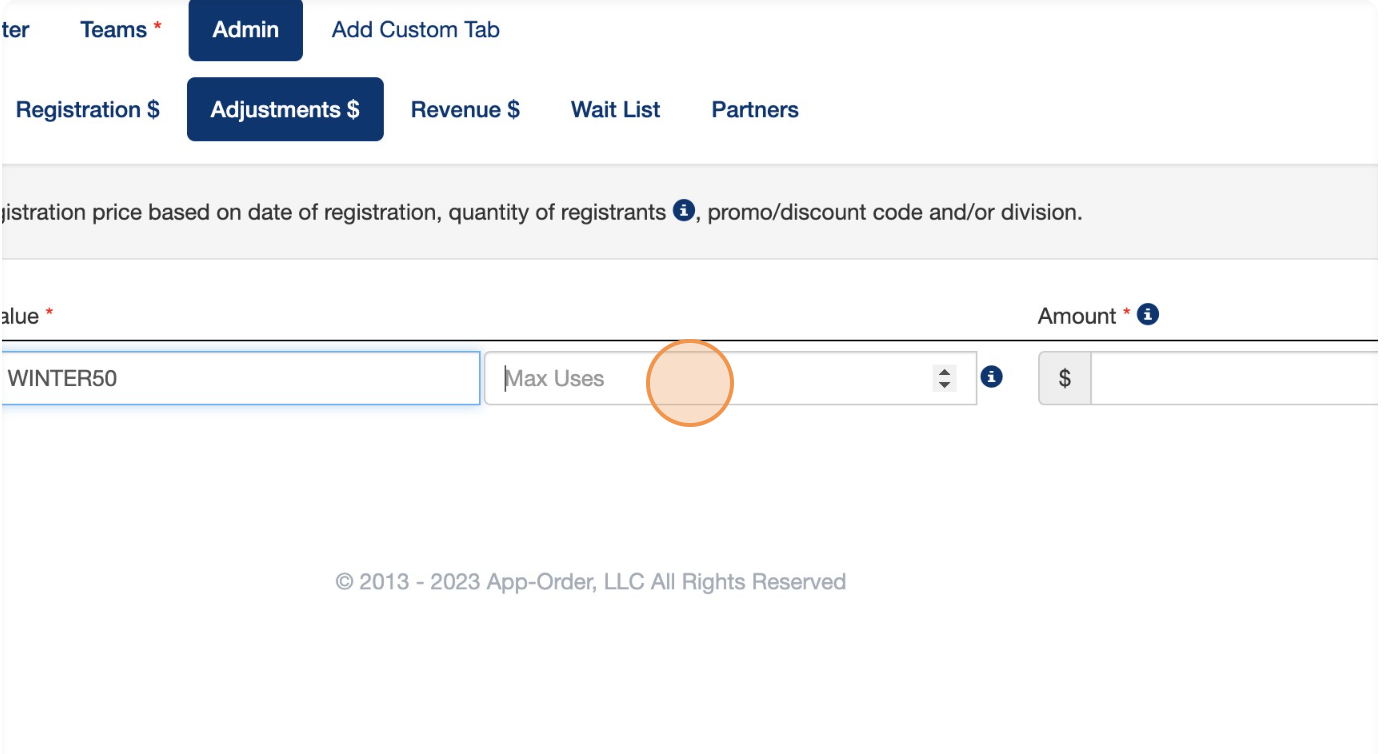
7. Click the 'Max Uses' field to enter a limit to the number of uses allowed for your promo code.
a. If the 'Max Uses' field is left blank, the discount will apply to each registration price. (Multiple divisions - each division will receive discounted price). If 'Max Uses' is 1 or greater the discount will be applied to the entire purchase. (Multiple divisions - each division will NOT receive discount. Total price for all divisions will be discounted). The discount code is automatically deleted after the max number of uses has been met.
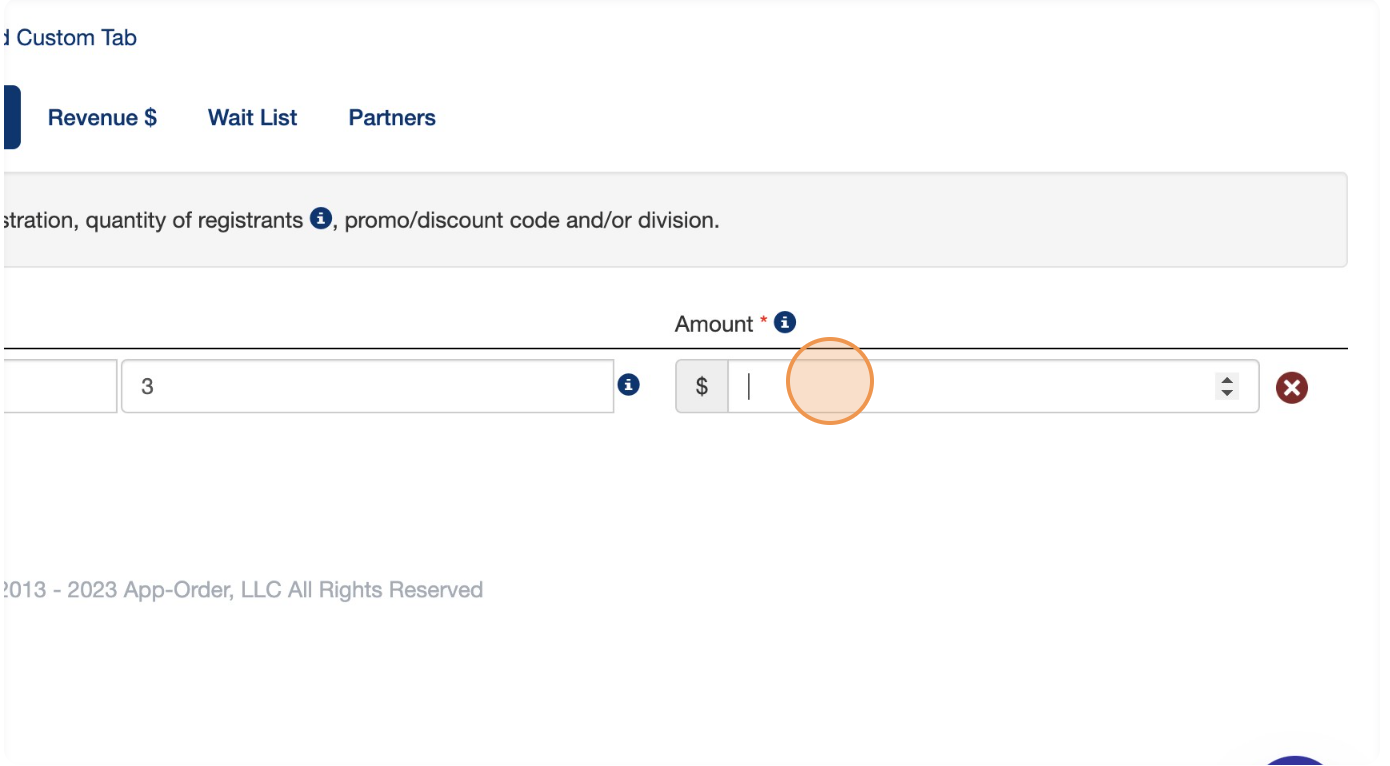
8. Click the 'Amount' field, enter the amount you would like to discount with the promo code.
a. Be SURE to use a **negative sign (-)** before the number amount to discount the registration price. Negative amounts will reduce the price, Positive amounts will increase it.
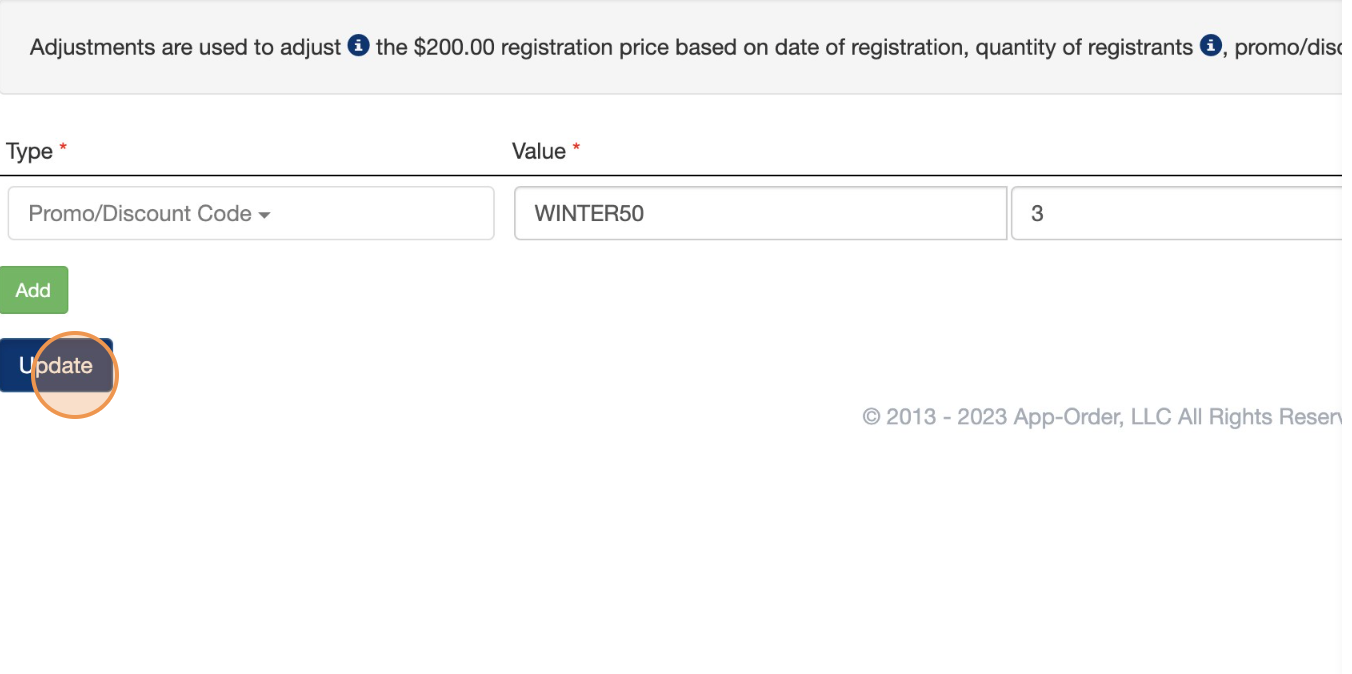
9. Click 'Update'.
> Below are a few more examples of registration price adjustments
### Registration Fee Adjustments.jpg?width=670&height=377&name=Zorts%20(1).jpg)
- [Coaches](https://zorts.zortssports.com/knowledge-base/coaches?hsLang=en)
- [Participants](https://zorts.zortssports.com/knowledge-base/participants?hsLang=en)
- [Event Administrators](https://zorts.zortssports.com/knowledge-base/event-administrators?hsLang=en#main-content)
- [Payment Management](https://zorts.zortssports.com/knowledge-base/event-administrators?hsLang=en#payment-management)
- [Coaches and Event Administrators](https://zorts.zortssports.com/knowledge-base/coaches-and-event-administrators?hsLang=en)
- [STRIPE Training](https://zorts.zortssports.com/knowledge-base/stripe-training?hsLang=en)
[](http://zortssports.com)
Copyright © 2025, Zorts