---
title: How to Access Different Divisions in the Same Club as Club Admin
description: How to Access Different Divisions in the Same Club as Club Admin
---
[Skip to content](https://zorts.zortssports.com/knowledge-base/how-to-access-different-divisions-in-the-same-club-as-club-admin#main-content)
English
Show submenu for translations

Open main navigation
Close main navigation
- English
Show submenu for translations
- [Help](https://zorts.zortssports.com/support_ticket)
[Help](https://zorts.zortssports.com/support_ticket?hsLang=en)
How can we help you?
- There are no suggestions because the search field is empty.
1. [Zorts Knowledge Base](https://zorts.zortssports.com/knowledge-base?hsLang=en)
2. [Coaches](https://zorts.zortssports.com/knowledge-base/coaches?hsLang=en)
# How to Access Different Divisions in the Same Club as Club Admin
## Below are step-by-step instructions on how to view all of the teams/divisions in your club, as the 'Club Admin'.
### Website
1. Navigate to [https://zortssports.com](https://zortssports.com/) and log into your account.
2. Select the event you would like to access.
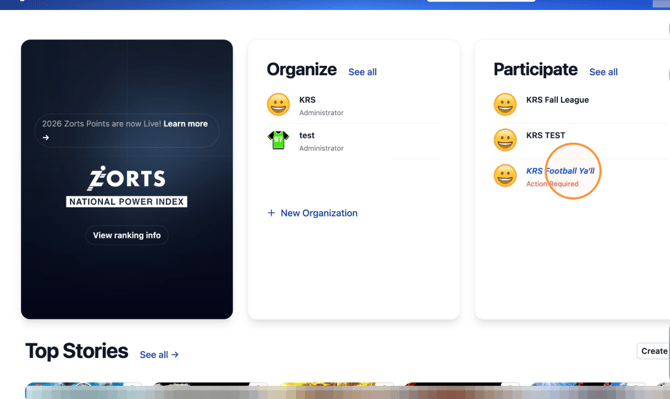
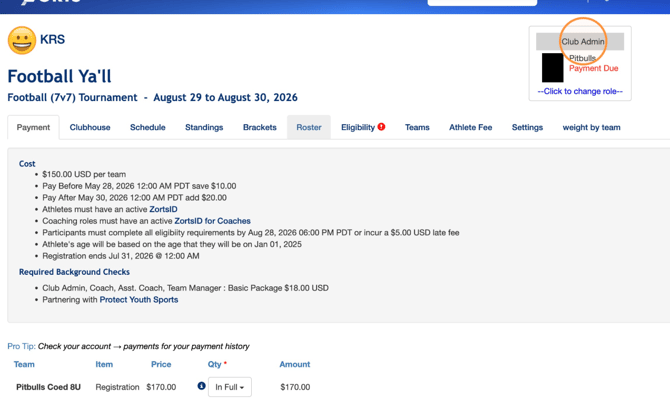
3. Make sure you are viewing the event under your 'Club Admin' role.
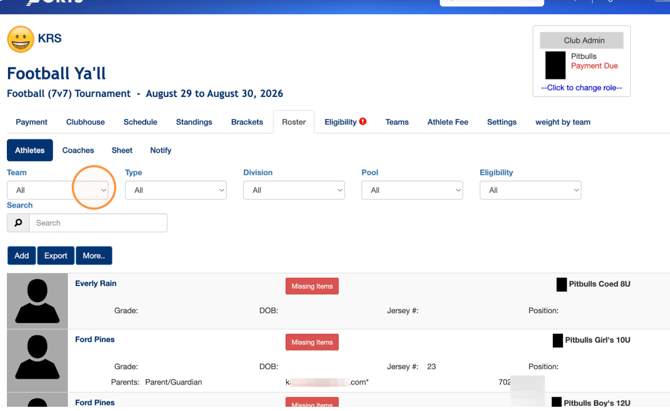
4. From the **Roster \> Athletes** tabs, click the 'Team' dropdown to filter your list by team.
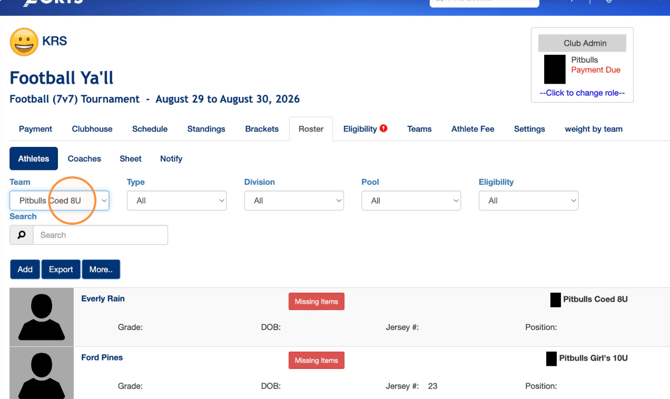
5. Select the division/team that you would like to view.
### iPhone
1. Navigate to your Zorts iPhone app and log into your account.
2. Select the event you would like to access under "Participate".
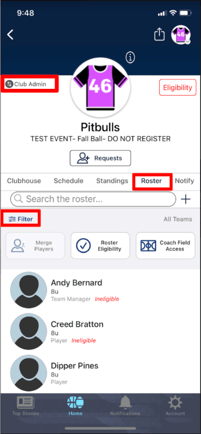
3. Make sure you are viewing the event from your 'Club Admin' role.
4. Select the 'Roster' tab.
5. Click 'Filter'.
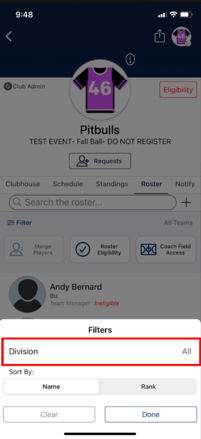
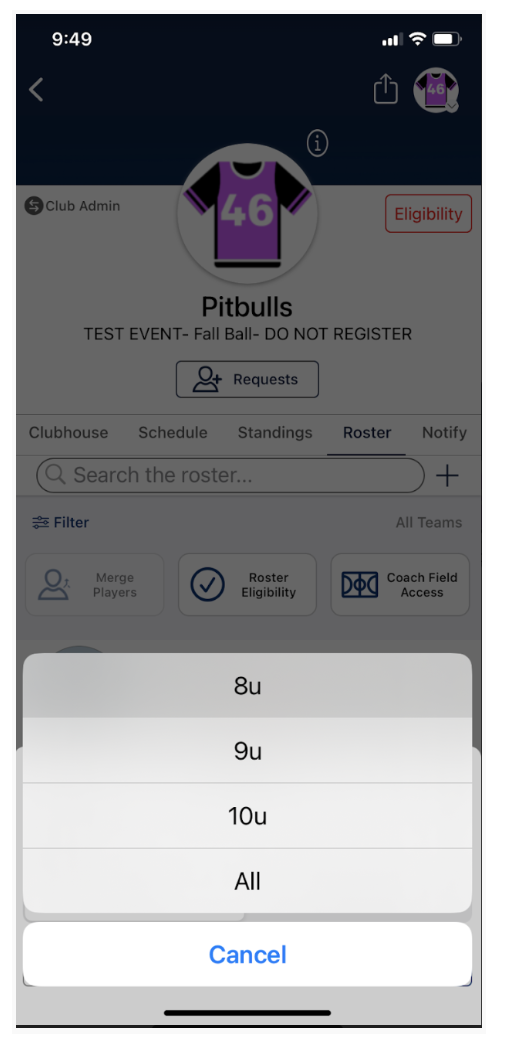
6. Click 'Division' and select the division/team you would like to view.
#### Android
1. Navigate to your Zorts Android app and log into your account.
2. Select the event you would like to access under "Participate".
3. Make sure you are viewing the event from your 'Club Admin' role.
4. Select the 'Roster' tab.
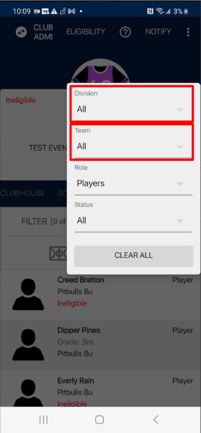
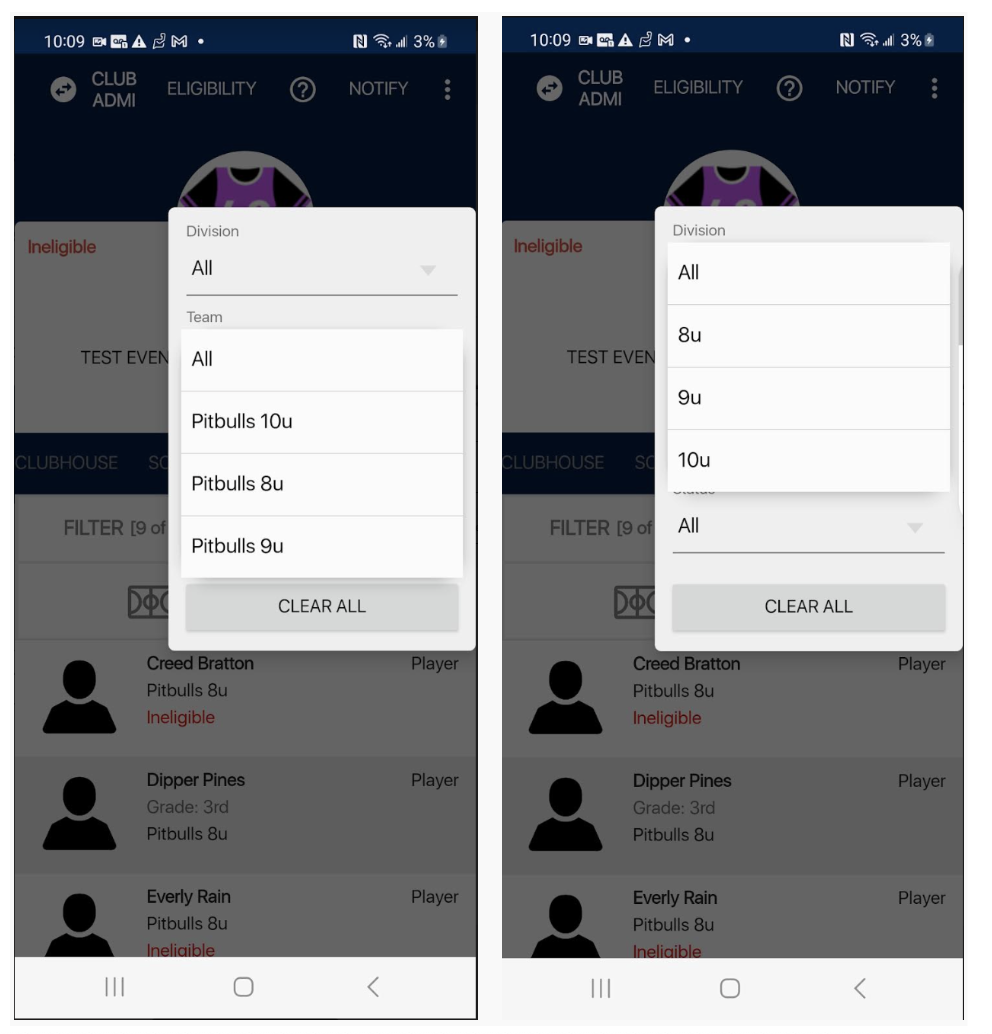
5. Click 'Filter'.
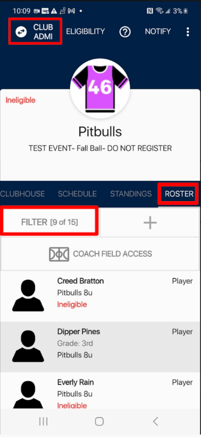
6. Click 'Division' or 'Team' and select the division/team you would like to view.
- [Coaches](https://zorts.zortssports.com/knowledge-base/coaches?hsLang=en)
- [Participants](https://zorts.zortssports.com/knowledge-base/participants?hsLang=en)
- [Event Administrators](https://zorts.zortssports.com/knowledge-base/event-administrators?hsLang=en#main-content)
- [Payment Management](https://zorts.zortssports.com/knowledge-base/event-administrators?hsLang=en#payment-management)
- [Coaches and Event Administrators](https://zorts.zortssports.com/knowledge-base/coaches-and-event-administrators?hsLang=en)
- [STRIPE Training](https://zorts.zortssports.com/knowledge-base/stripe-training?hsLang=en)
[](http://zortssports.com)
Copyright © 2025, Zorts