---
title: How to Access Zorts Help Desk
description: How to Access Zorts Help Desk
---
[Skip to content](https://zorts.zortssports.com/knowledge-base/how-to-access-zorts-help-desk#main-content)
English
Show submenu for translations

Open main navigation
Close main navigation
- English
Show submenu for translations
- [Help](https://zorts.zortssports.com/support_ticket)
[Help](https://zorts.zortssports.com/support_ticket?hsLang=en)
How can we help you?
- There are no suggestions because the search field is empty.
1. [Zorts Knowledge Base](https://zorts.zortssports.com/knowledge-base?hsLang=en)
2. [Participants](https://zorts.zortssports.com/knowledge-base/participants?hsLang=en)
# How to Access Zorts Help Desk
## Below are step by step instructions on how to access the Zorts Help Desk
### Website
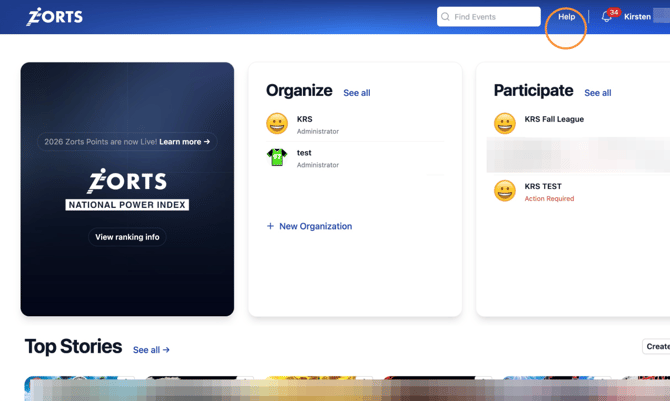
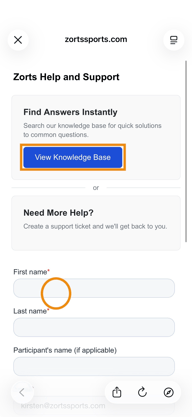
1. After logging into your account, click on the "Help" link in the top right of your screen
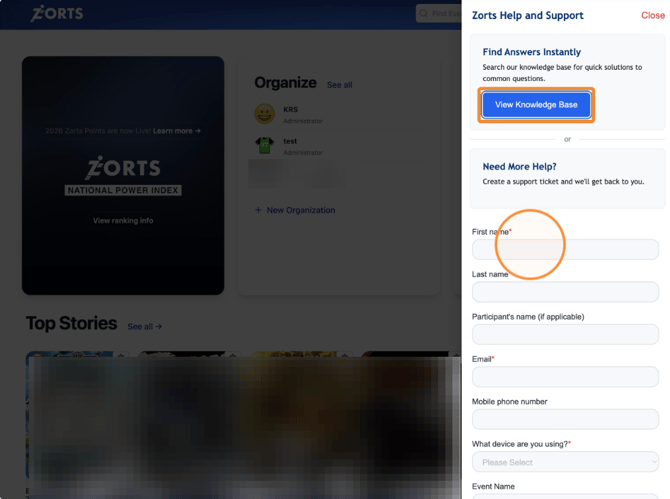
2. Feel free to browse our Knowledge Base for helpful articles, or create a support ticket by entering the required information and clicking "Submit".
### iPhone
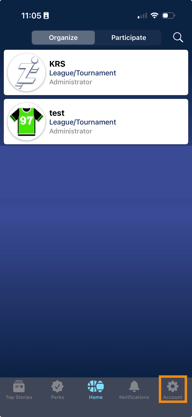
1. After logging into your account, click on the gear to access your account settings
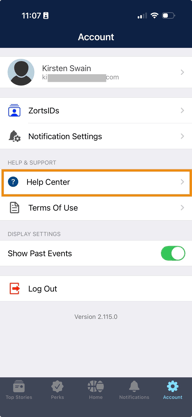
2. Click "Help Center"
3. Feel free to browse our Knowledge Base for helpful articles, or create a support ticket by entering the required information and clicking "Submit".
### Android
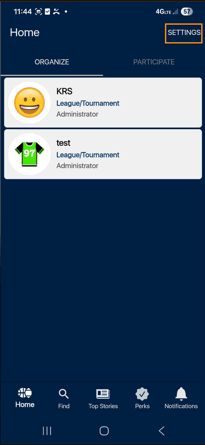
1. After logging into your account, click "Settings" to access your account settings.
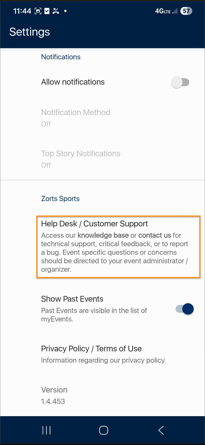
2. Scroll down and click "Help Desk/Customer Support".
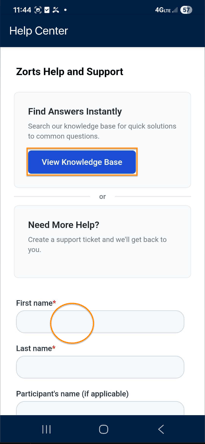
3. Feel free to browse our Knowledge Base for helpful articles, or create a support ticket by entering the required information and clicking "Submit".
> You can also contact our help desk by emailing us directly:
>
>  **[helpdesk@zortssports.com](mailto:helpdesk@zortssports.com)**
> For **parents, athletes, and coaches** who need general support or assistance.
>
>  **[adminhelp@zortssports.com](mailto:adminhelp@zortssports.com)**
> For **event host/administrators** needing online assistance, account help, or platform guidance.
- [Coaches](https://zorts.zortssports.com/knowledge-base/coaches?hsLang=en)
- [Participants](https://zorts.zortssports.com/knowledge-base/participants?hsLang=en)
- [Event Administrators](https://zorts.zortssports.com/knowledge-base/event-administrators?hsLang=en#main-content)
- [Payment Management](https://zorts.zortssports.com/knowledge-base/event-administrators?hsLang=en#payment-management)
- [Coaches and Event Administrators](https://zorts.zortssports.com/knowledge-base/coaches-and-event-administrators?hsLang=en)
- [STRIPE Training](https://zorts.zortssports.com/knowledge-base/stripe-training?hsLang=en)
[](http://zortssports.com)
Copyright © 2025, Zorts