---
title: How to Update Your Age Verification Document Type
description: How to Change Age Verification Document Type
---
[Skip to content](https://zorts.zortssports.com/knowledge-base/how-to-change-age-verification-document-type#main-content)
English
Show submenu for translations

Open main navigation
Close main navigation
- English
Show submenu for translations
- [Help](https://zorts.zortssports.com/support_ticket)
[Help](https://zorts.zortssports.com/support_ticket?hsLang=en)
How can we help you?
- There are no suggestions because the search field is empty.
1. [Zorts Knowledge Base](https://zorts.zortssports.com/knowledge-base?hsLang=en)
2. [Participants](https://zorts.zortssports.com/knowledge-base/participants?hsLang=en)
# How to Update Your Age Verification Document Type
## Below are step by step instructions on how to update your age verification document associated with your ZortsID using the web.
### **Web**
1. Navigate to [https://zortssports.com](https://z.app-order.com/home) and log into your account.
2. Click on your name at the top right corner and select 'Your Account'
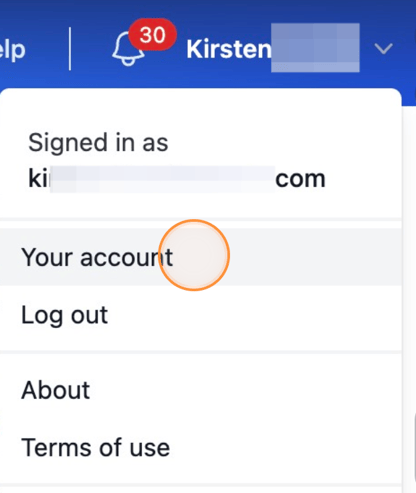
3. Select 'ZortsIDs'

4. Click 'Actions' under the card you'd like to update, then select 'Update ID Document'
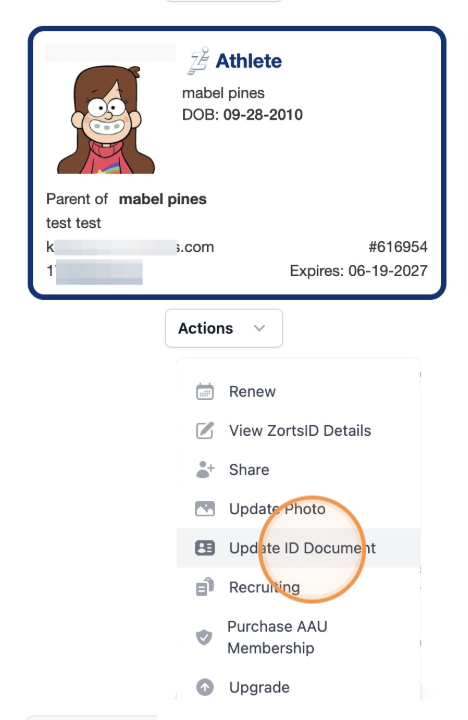
5. Click the age verification type drop-down menu
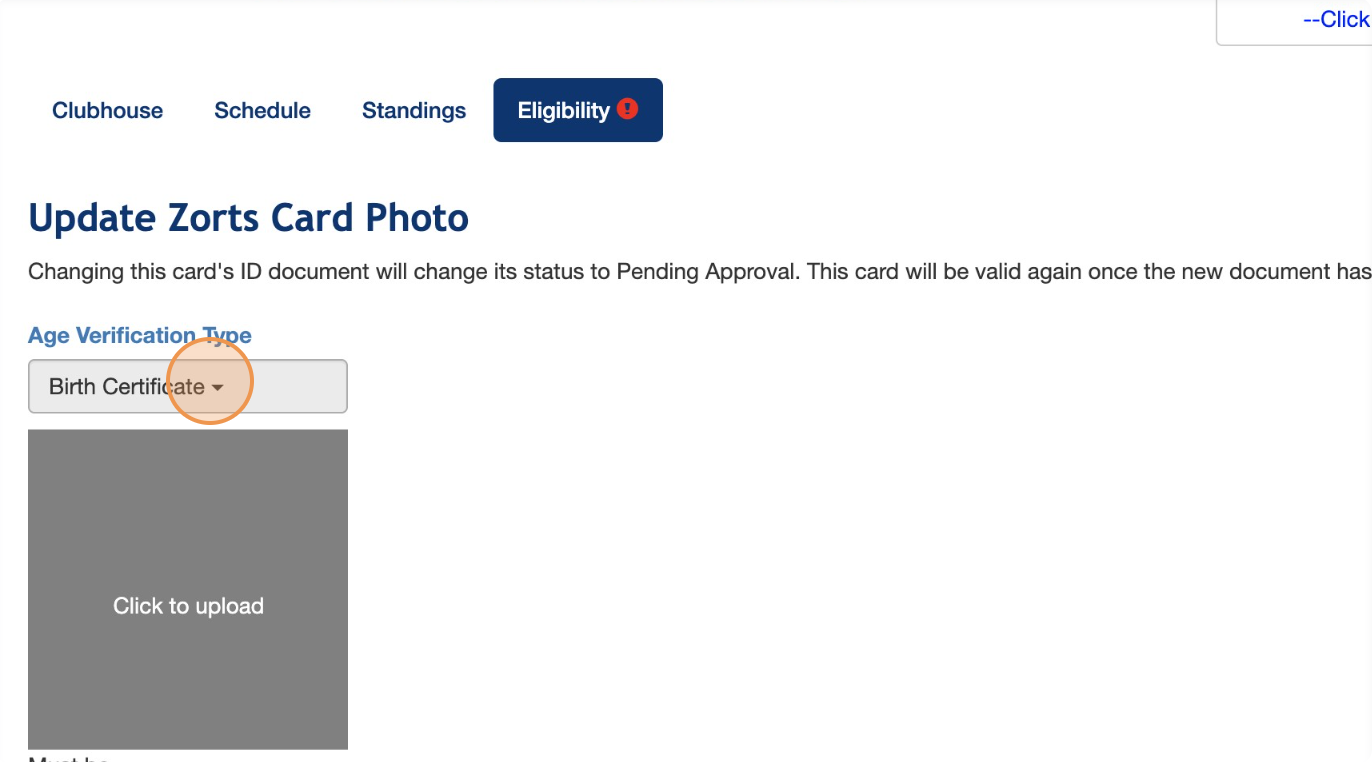
6. Select the desired age verification type
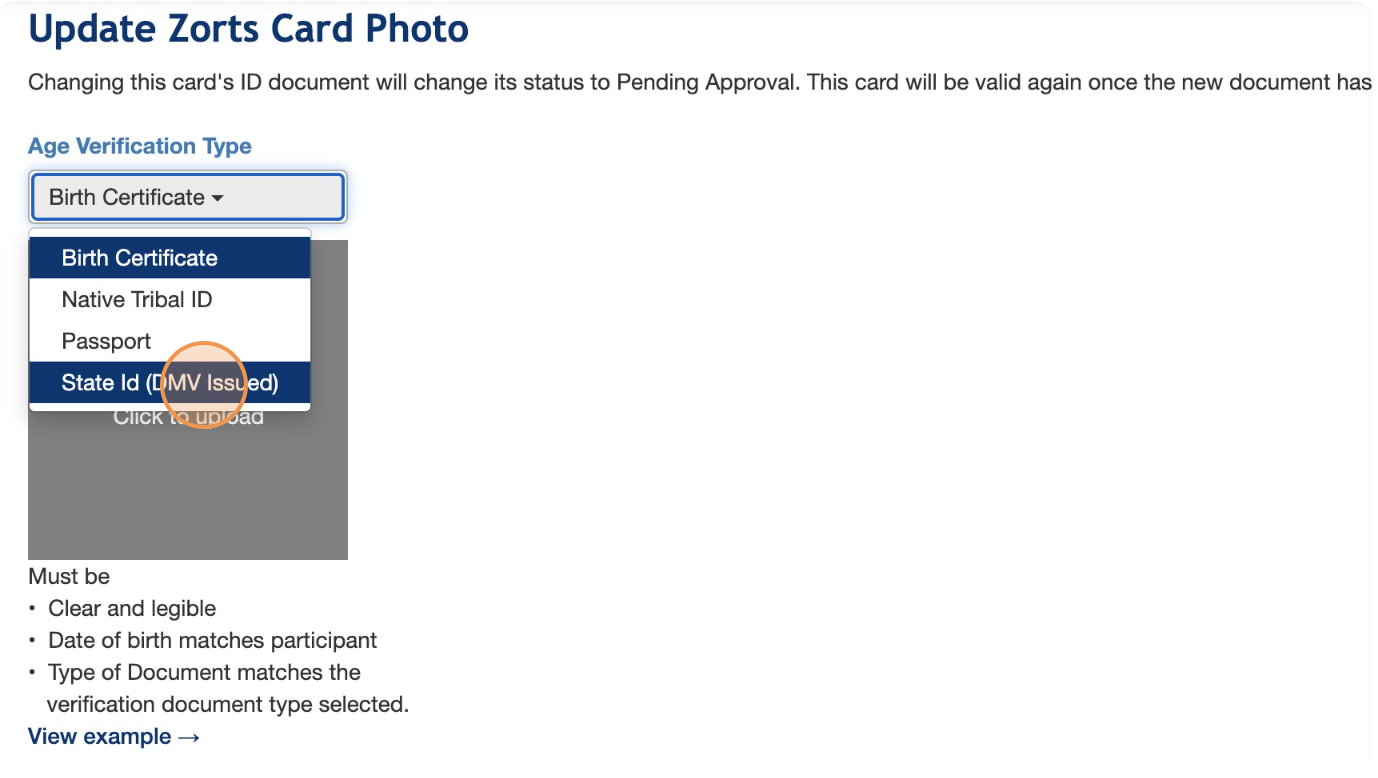
7. Click "Click to upload"
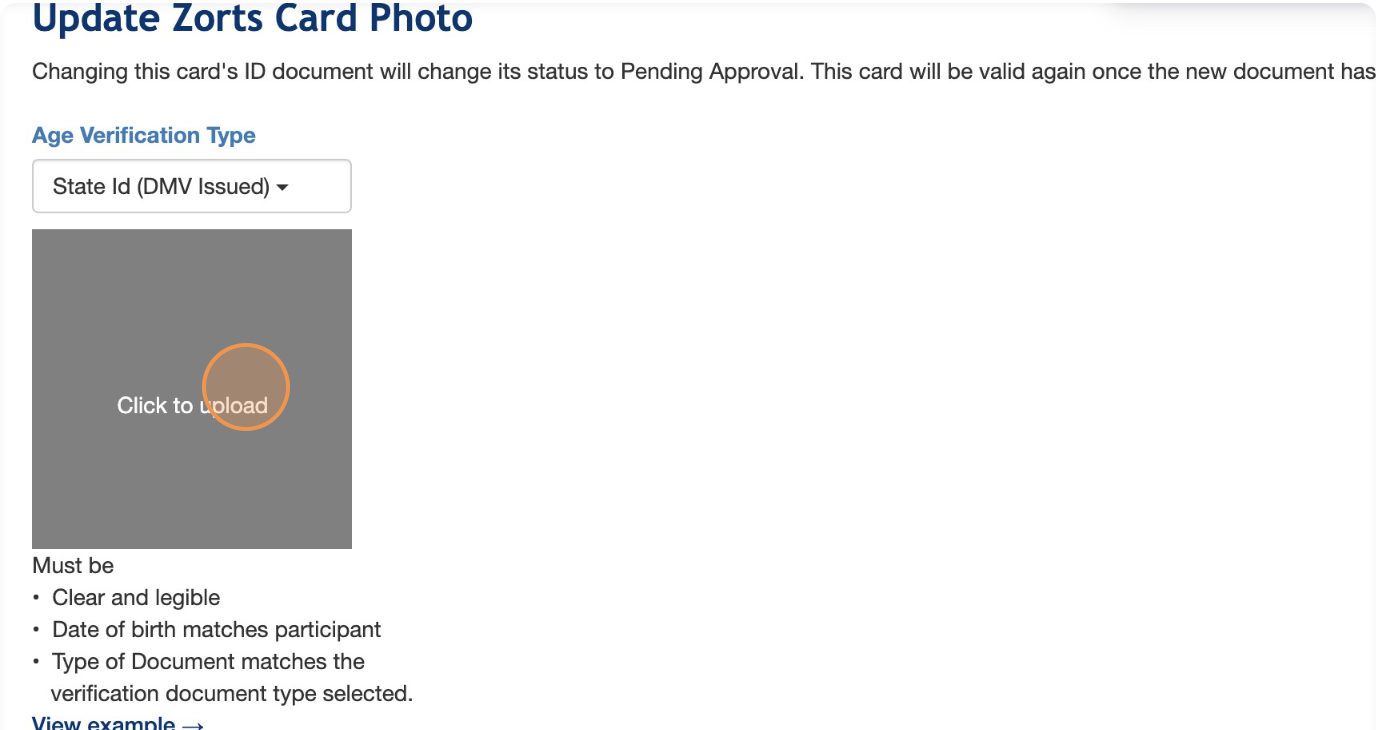
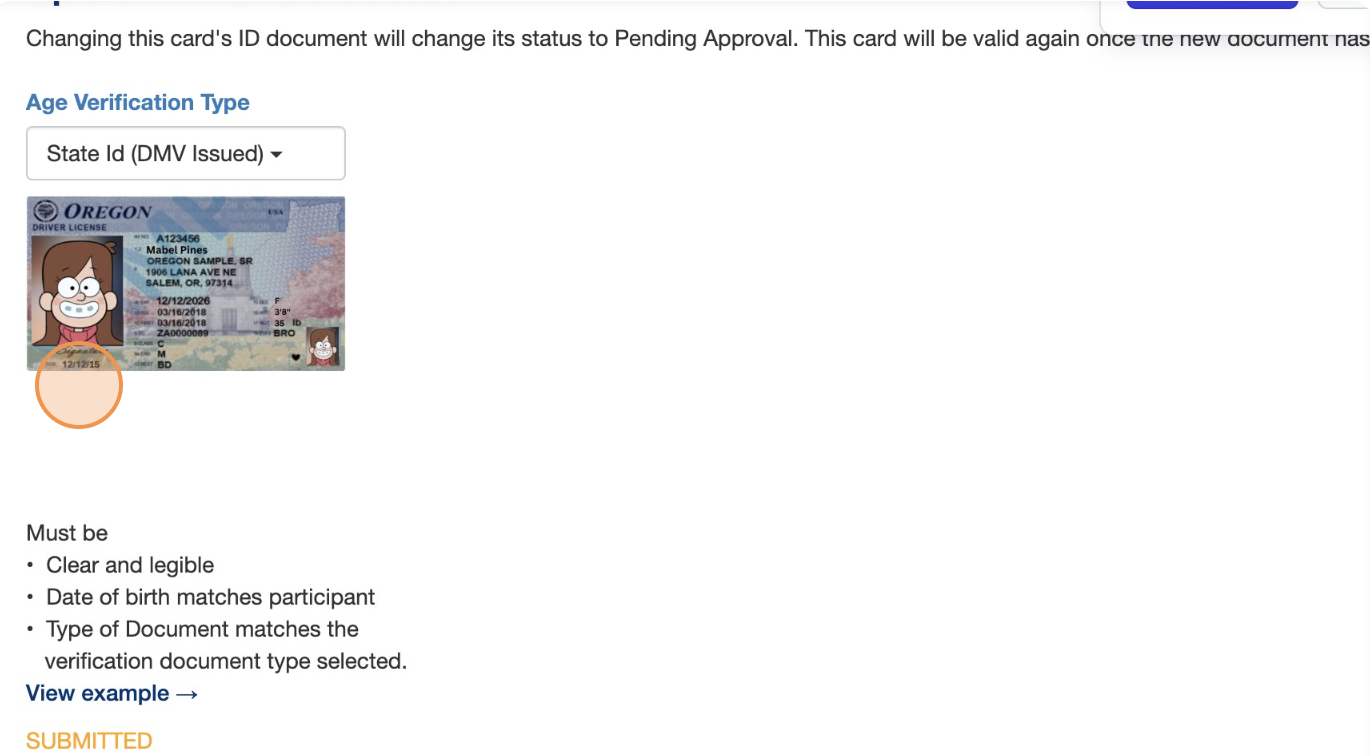
8. Upload your photo of the new document.
a. The document should be a clear photo or scan. It should be a full photo of the entire document from corner to corner, taken in a well lit area. This document must be clearly legible, or it will be rejected for correction by the purchaser.
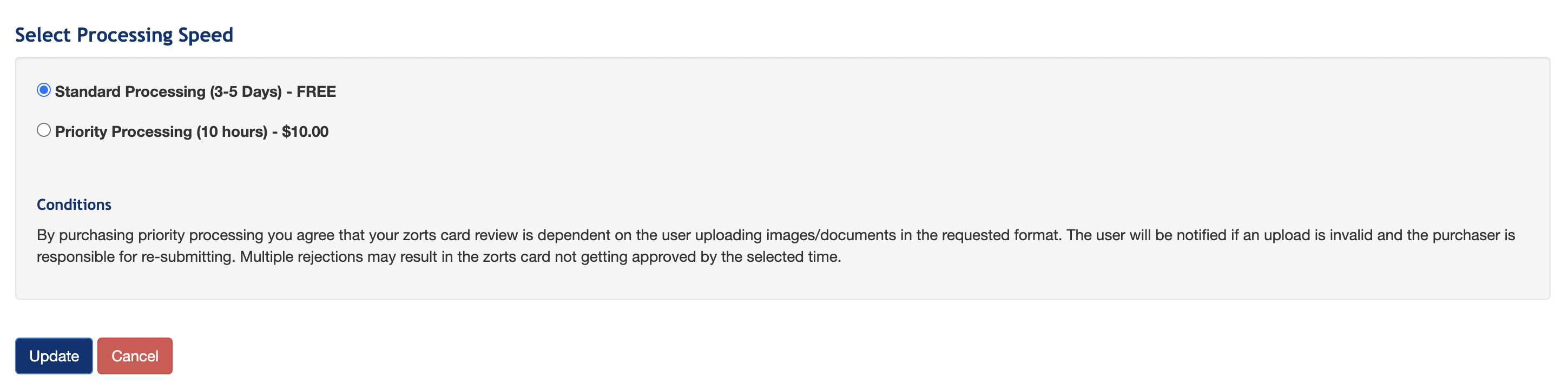
9. Select the necessary processing speed for your card to be reviewed.
a. Click "Update"
- [Coaches](https://zorts.zortssports.com/knowledge-base/coaches?hsLang=en)
- [Participants](https://zorts.zortssports.com/knowledge-base/participants?hsLang=en)
- [Event Administrators](https://zorts.zortssports.com/knowledge-base/event-administrators?hsLang=en#main-content)
- [Payment Management](https://zorts.zortssports.com/knowledge-base/event-administrators?hsLang=en#payment-management)
- [Coaches and Event Administrators](https://zorts.zortssports.com/knowledge-base/coaches-and-event-administrators?hsLang=en)
- [STRIPE Training](https://zorts.zortssports.com/knowledge-base/stripe-training?hsLang=en)
[](http://zortssports.com)
Copyright © 2025, Zorts