- Log in to your Stripe Dashboard on the Stripe website.
- Complete Any Required Verification
- If Stripe is requesting additional verification, complete any outstanding steps, as these must be resolved before registration payments can proceed and payouts may be delayed until your account is fully verified.
- If Stripe is requesting additional verification, complete any outstanding steps, as these must be resolved before registration payments can proceed and payouts may be delayed until your account is fully verified.
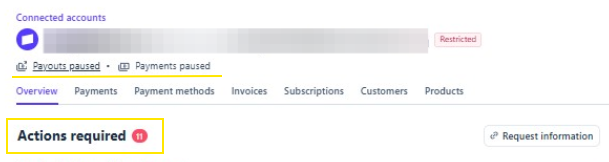
🚩If the connected Stripe account is NOT completed then it will show different statuses in this area such as "Payouts Paused" and "Payments Paused"
-This would indicate that Stripe is requesting further information to be completed in order for the Stripe account to be enabled.
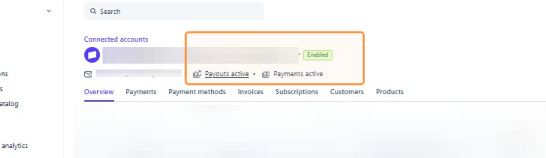
✅ If the connected Stripe is completed then you will see "Enabled", "Payouts Active", and "Payments Active".