
1. Access your account via a web browser at http://zortssports.com
2. Select the organization under ORGANIZE - and then select the event you are working on
3. Select Admin > Eligibility > Edit
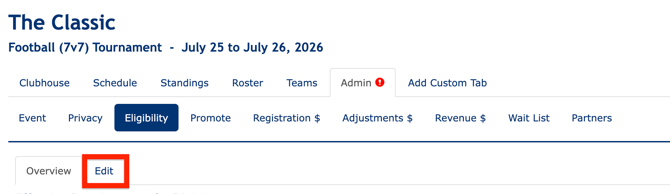
4. Under ZortsID, select "YES" to implement ZortsIDs for Athletes.
a. If you would like to re government-issued photo IDs for verification, select "YES".
b. If you would like to limit athletes to registering for only one team and prevent them from being rostered on multiple divisions, select “YES” for the setting:
c. Enter the age cutoff (Eligibility is based on the player/participant's age as of midnight on the cutoff date. For example, if the age cutoff date is January 1st, 2026, an athlete must be the division age or younger by January 1st, 2026, at 12:00 am, to qualify for their division).
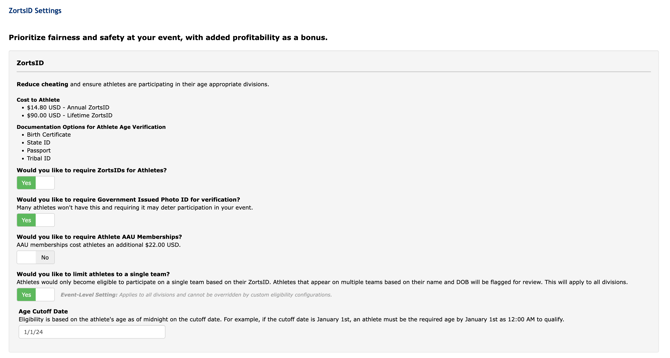
5. To implement ZortsIDs for coaches, select "YES".
6. To require Coaches to purchase background checks in addition to their ZortsID, select "YES".
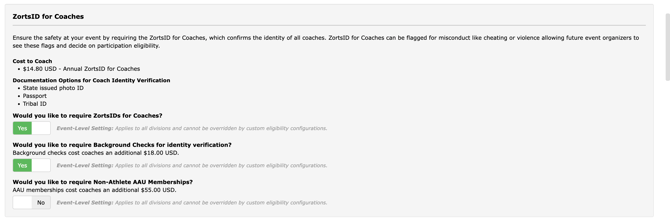
7. Click "Save Changes" at the top right corner of the page.
If you need to create division specific eligibility please read the article here:
Once an athlete or coach uses a sign up link, they will be prompted to purchase/link the ZortsID.
The Zorts approval process is as follows:
-
The participant will submit a headshot photo and a required age verification document.
-
The photo uploaded must be a clear headshot of the participant.
-
The document uploaded must match the participant's name and date of birth.
-
A ZortsID with standard processing will be processed within 3 - 5 days of the last update to the submission.
NOTE: Organizers should make an alternate, non-biometric check-in option available for participants who decline to opt in. This ensures participation isn't contingent on biometric enrollment.
Zorts can provide references to alternate check-in solutions used at past events upon request. Reach out to your Zorts contact for details.