---
title: How to Merge Your Accounts
description: How to Merge Your Accounts
---
[Skip to content](https://zorts.zortssports.com/knowledge-base/how-to-merge-your-accounts#main-content)
English
Show submenu for translations

Open main navigation
Close main navigation
- English
Show submenu for translations
- [Help](https://zorts.zortssports.com/support_ticket)
[Help](https://zorts.zortssports.com/support_ticket?hsLang=en)
How can we help you?
- There are no suggestions because the search field is empty.
1. [Zorts Knowledge Base](https://zorts.zortssports.com/knowledge-base?hsLang=en)
2. [Participants](https://zorts.zortssports.com/knowledge-base/participants?hsLang=en)
# How to Merge Your Accounts
## Below are the step-by-step instructions on how to merge more than one account on the Zorts website.
1. After logging into your account at[https://zortssports.com](https://zortssports.com/), select your name from the top right corner of the screen.
2. Click ‘Your account’ from the drop down menu that appears.

3. From the next page, select the ‘Merge’ tab.
4. Enter the User ID of the account you’d like to merge.
5. Click the ‘Send Code’ button.
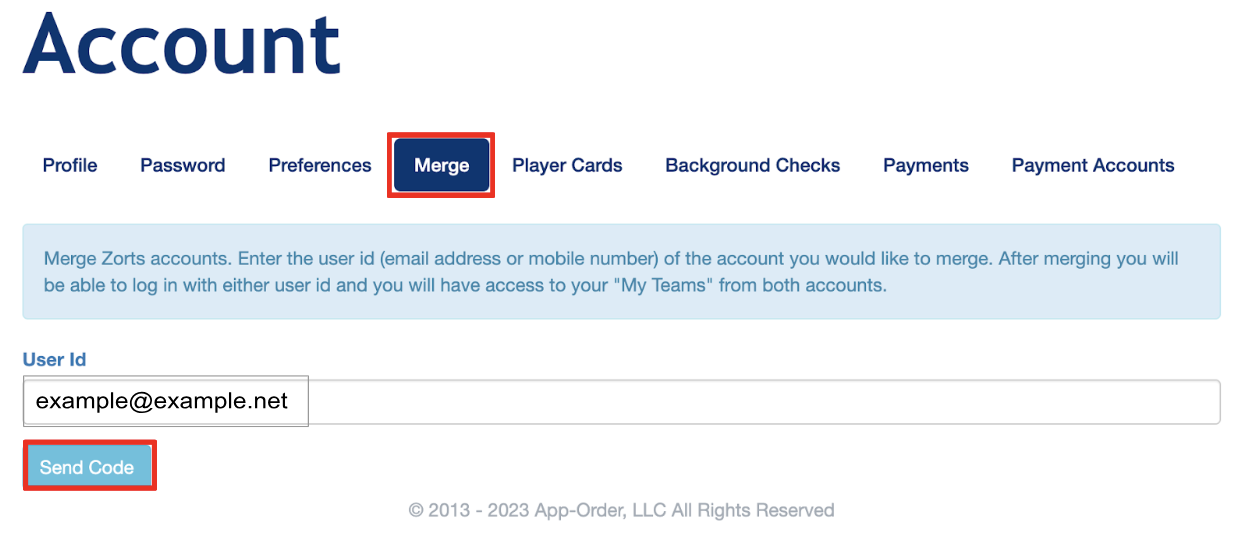
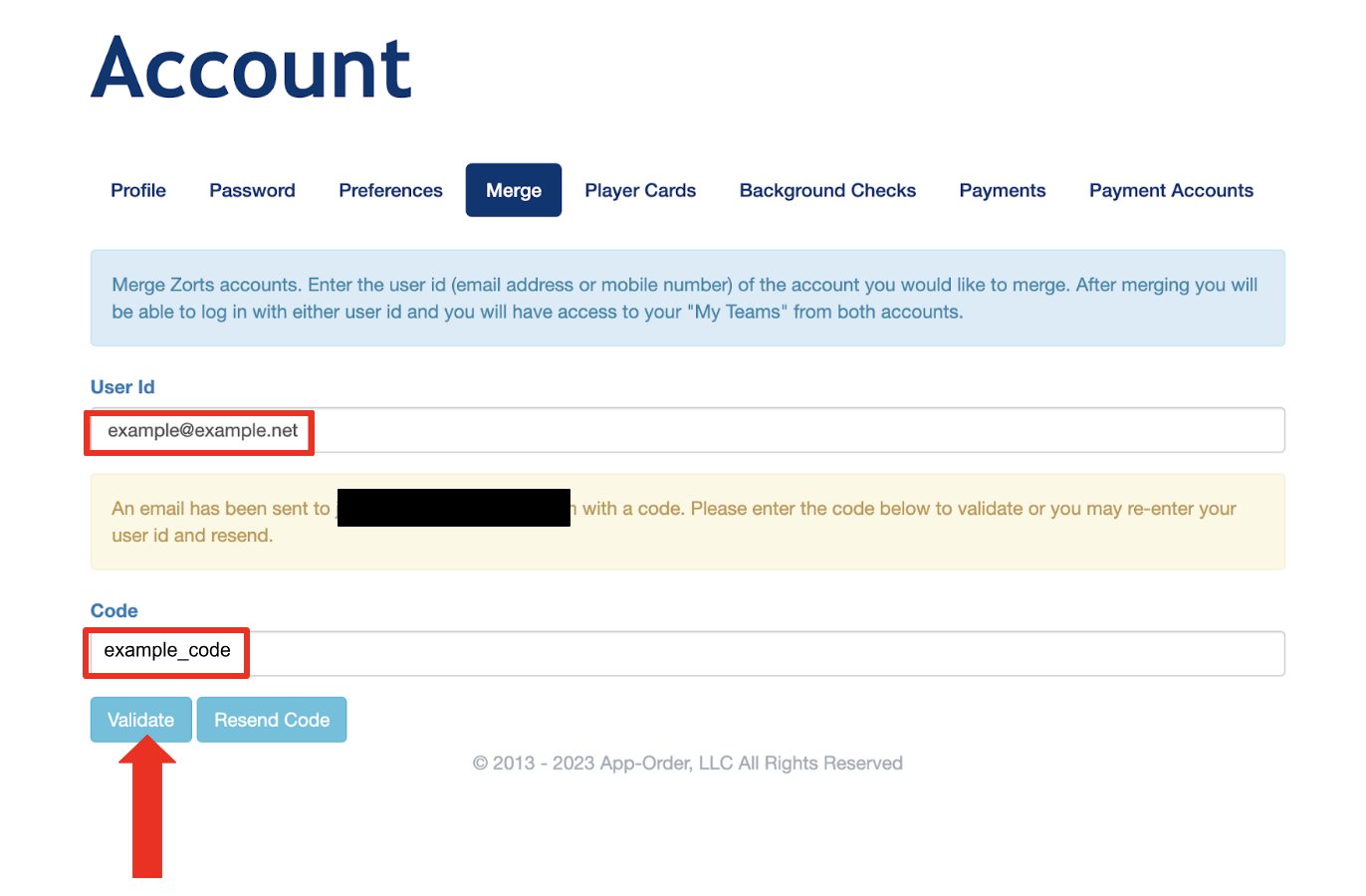
6. An email will be sent to the email address entered. Enter the code provided in the email.
7. Click the ‘Validate’ button.
- [Coaches](https://zorts.zortssports.com/knowledge-base/coaches?hsLang=en)
- [Participants](https://zorts.zortssports.com/knowledge-base/participants?hsLang=en)
- [Event Administrators](https://zorts.zortssports.com/knowledge-base/event-administrators?hsLang=en#main-content)
- [Payment Management](https://zorts.zortssports.com/knowledge-base/event-administrators?hsLang=en#payment-management)
- [Coaches and Event Administrators](https://zorts.zortssports.com/knowledge-base/coaches-and-event-administrators?hsLang=en)
- [STRIPE Training](https://zorts.zortssports.com/knowledge-base/stripe-training?hsLang=en)
[](http://zortssports.com)
Copyright © 2025, Zorts