---
title: How to Register For a 'Player Registration' Event
description: How to Register For a 'Player Registration' Event
---
[Skip to content](https://zorts.zortssports.com/knowledge-base/how-to-register-for-a-player-registration-event#main-content)
English
Show submenu for translations

Open main navigation
Close main navigation
- English
Show submenu for translations
- [Help](https://zorts.zortssports.com/support_ticket)
[Help](https://zorts.zortssports.com/support_ticket?hsLang=en)
How can we help you?
- There are no suggestions because the search field is empty.
1. [Zorts Knowledge Base](https://zorts.zortssports.com/knowledge-base?hsLang=en)
2. [Participants](https://zorts.zortssports.com/knowledge-base/participants?hsLang=en)
# How to Register For a 'Player Registration' Event
## Below are step-by-step instructions on how to register your participant for an event that uses Player Registration:
1\. After logging into your Zorts account at https://zortssports.com search for the event using the event name or location.
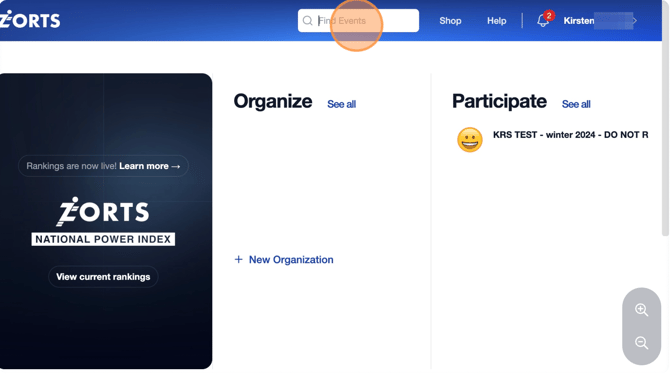
2. Click on the event to open the **Event Clubhouse** page.
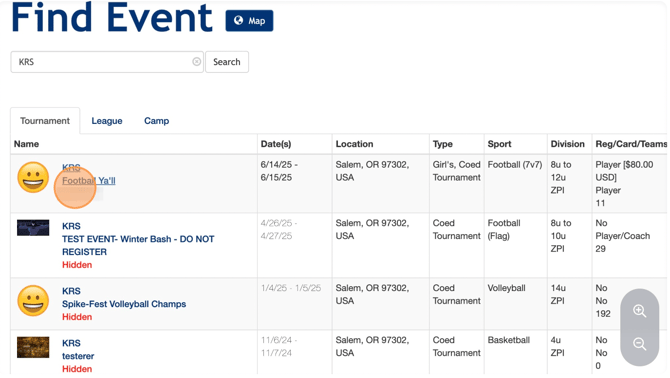
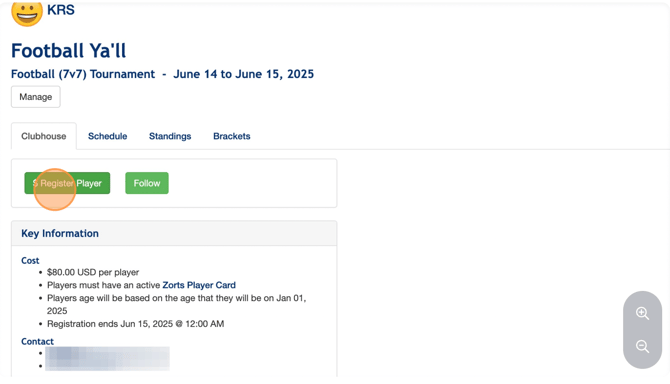
3. Select '**$Register Player'**
4. Fill out the participant’s information, including first and last name (or attach their Zorts ID instead if they already have one), division, and team name (if applicable).
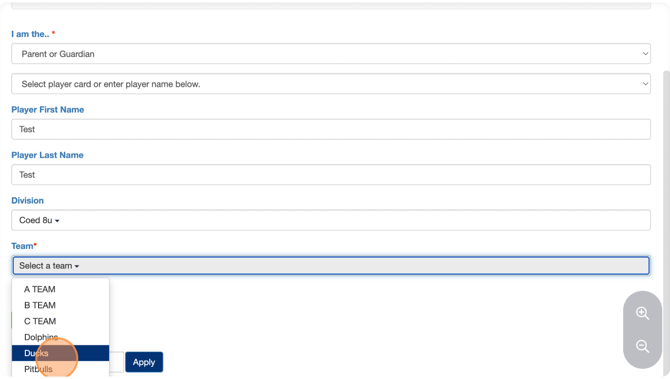
a. If you are registering more than one participant, click '**Add**'.
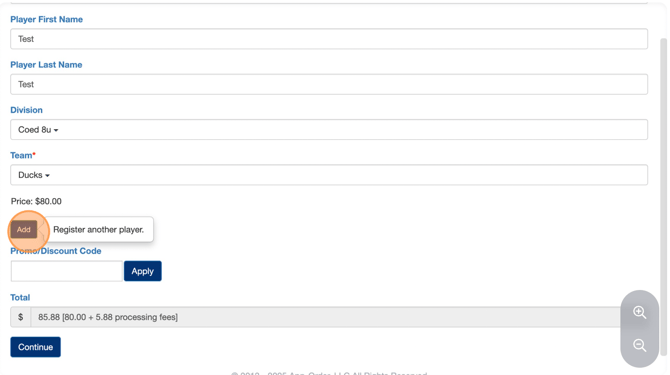
5. If you have any **Promo Codes** enter them now
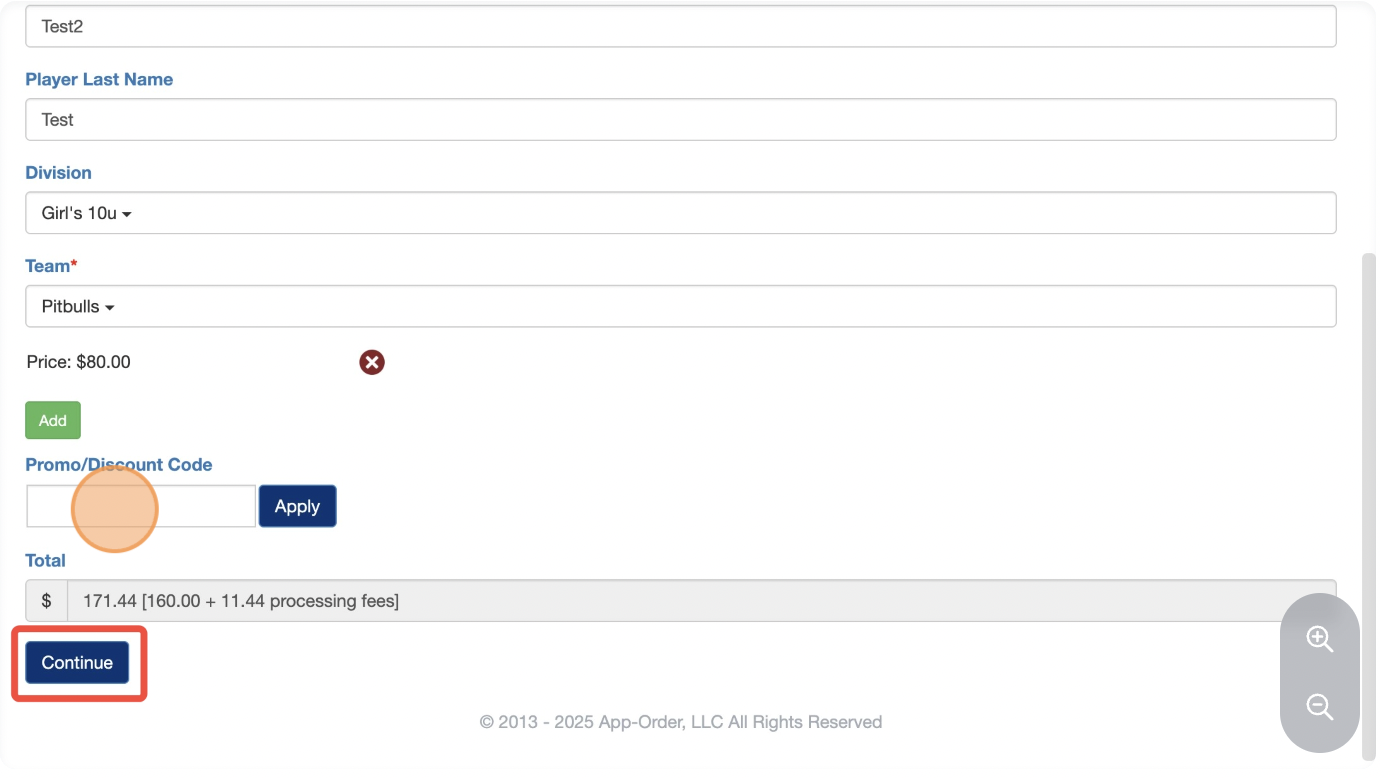
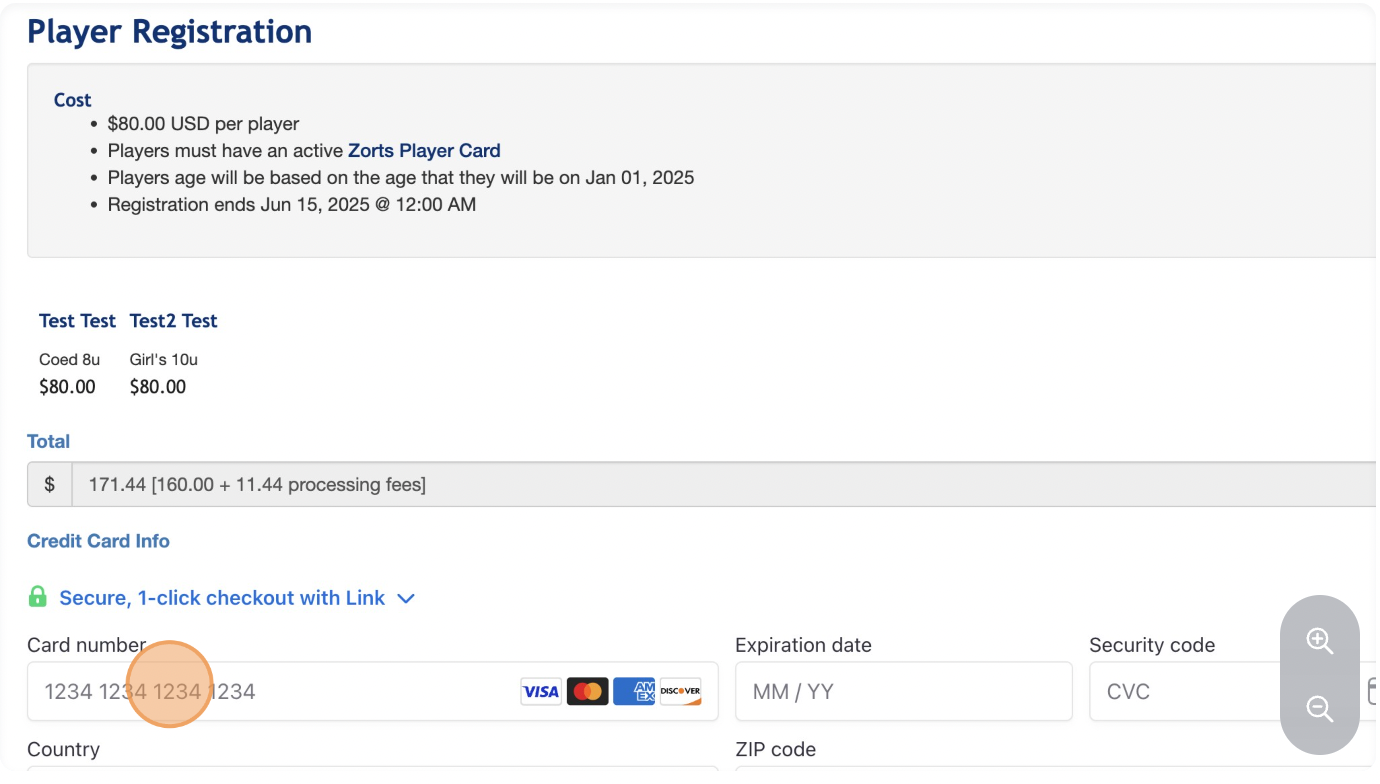
6. Proceed to the **payment screen** and complete the transaction.
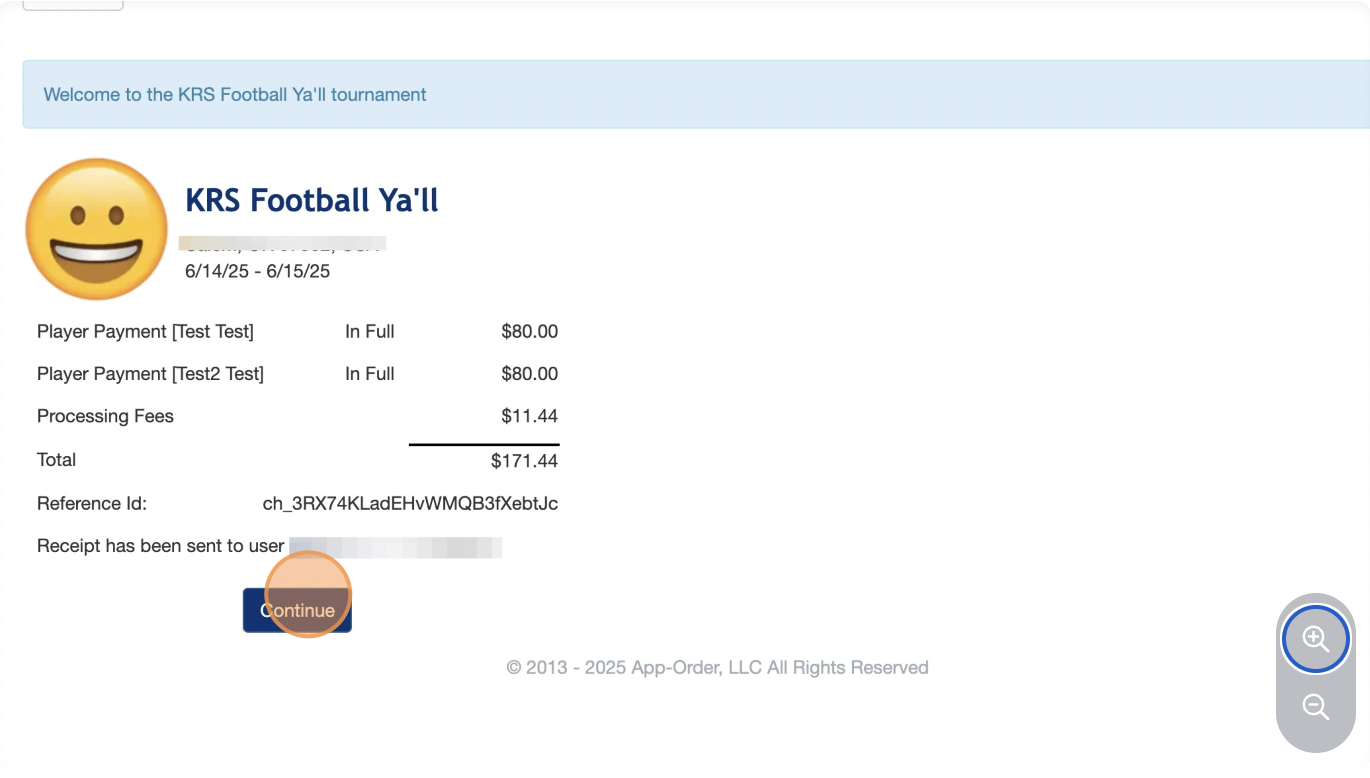
7. Once the registration payment is complete, you’ll receive an emailed receipt and the participant will appear on the roster.
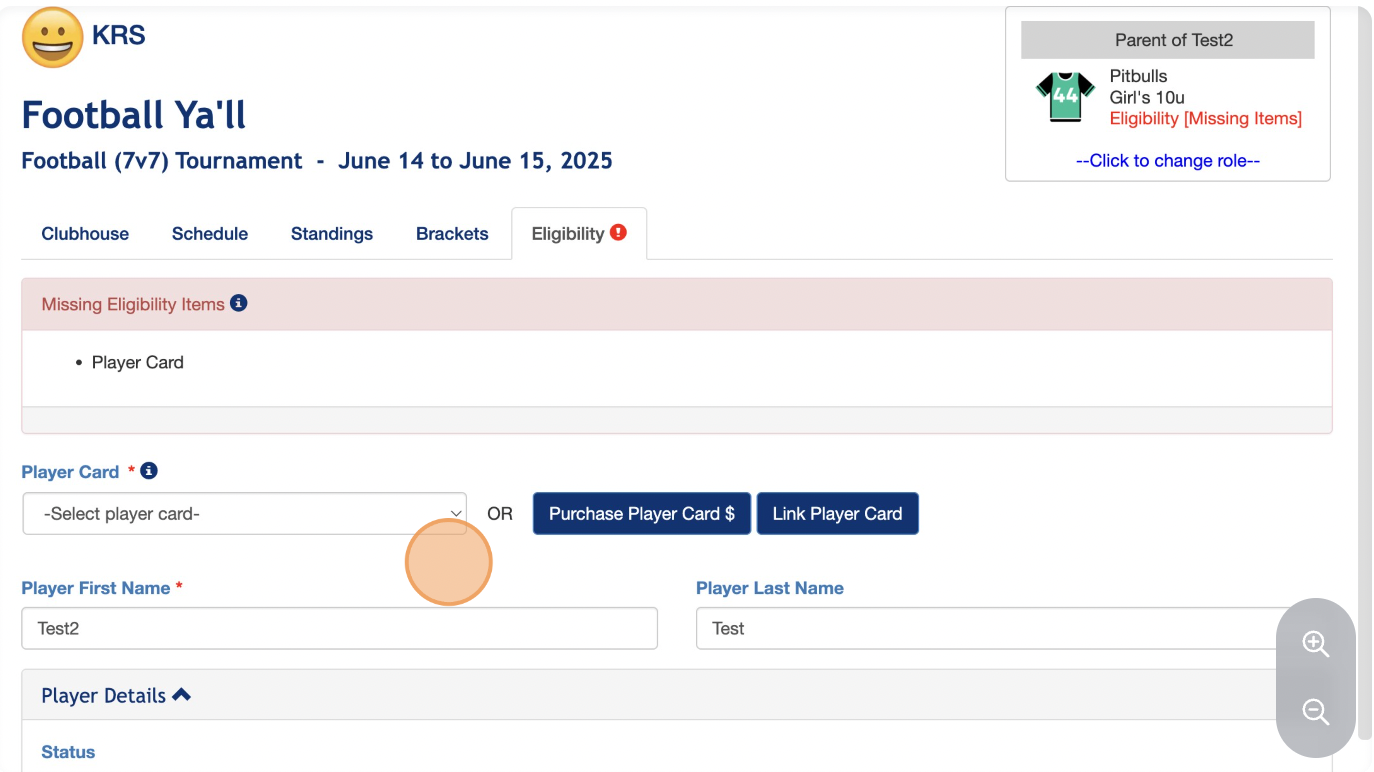
8. Make sure to complete any additional eligibility requirements for each participant registered.
> If you have any issues or questions during the process, feel free to reach out to support!
- [Coaches](https://zorts.zortssports.com/knowledge-base/coaches?hsLang=en)
- [Participants](https://zorts.zortssports.com/knowledge-base/participants?hsLang=en)
- [Event Administrators](https://zorts.zortssports.com/knowledge-base/event-administrators?hsLang=en#main-content)
- [Payment Management](https://zorts.zortssports.com/knowledge-base/event-administrators?hsLang=en#payment-management)
- [Coaches and Event Administrators](https://zorts.zortssports.com/knowledge-base/coaches-and-event-administrators?hsLang=en)
- [STRIPE Training](https://zorts.zortssports.com/knowledge-base/stripe-training?hsLang=en)
[](http://zortssports.com)
Copyright © 2025, Zorts