---
title: How to Require and Review Document Uploads From Participants
description: How to Require Uploads From Participants
---
[Skip to content](https://zorts.zortssports.com/knowledge-base/how-to-require-uploads-from-participants#main-content)
English
Show submenu for translations

Open main navigation
Close main navigation
- English
Show submenu for translations
- [Help](https://zorts.zortssports.com/support_ticket)
[Help](https://zorts.zortssports.com/support_ticket?hsLang=en)
How can we help you?
- There are no suggestions because the search field is empty.
1. [Zorts Knowledge Base](https://zorts.zortssports.com/knowledge-base?hsLang=en)
2. [Event Administrators](https://zorts.zortssports.com/knowledge-base/event-administrators?hsLang=en)
# How to Require and Review Document Uploads From Participants
## Below are step-by-step instructions for how to require participants to upload a document for review, and how to review them.
> Requiring document uploads will require the set participants (players, coaches, or players and coaches) to upload said document as an eligibility requirement
> Any document uploads will need to be viewed and approved by the **event administrator** in order for the selected participants to complete this eligibility requirement
> *This means that they can not become **Eligible** without the event administrator accepting the requested document*
> ***Be sure that you are using a computer to complete this set up and reviewing process***
1. Navigate to [https://zortssports.com](https://zortssports.com/) and log into your account
2. Select your organization

3. Select the specific event
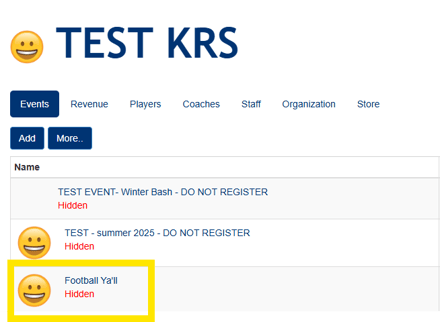
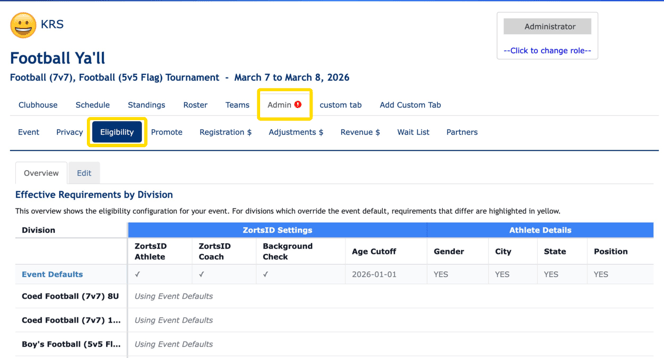
4\. Click the **Admin \> Eligibility** tabs
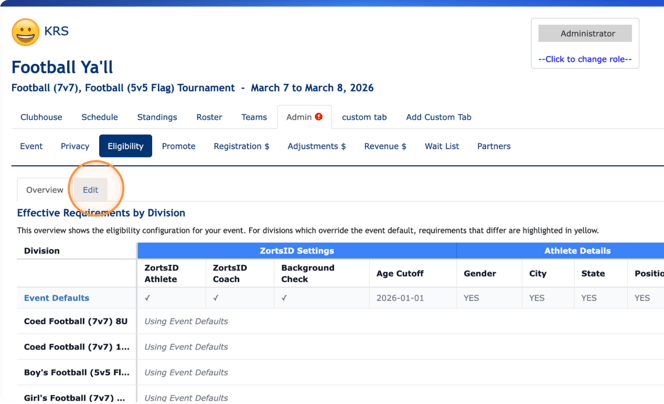
5. Click **Edit**
****
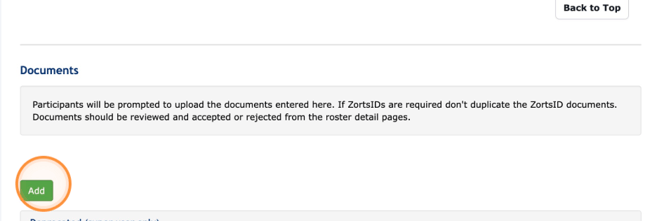
6\. Scroll down and click **Add** under the **Documents** section
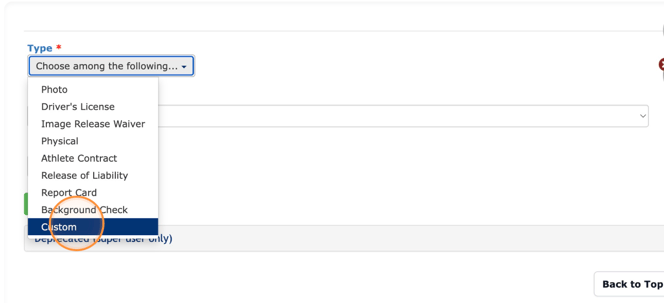
7. Choose a type among the following types. We recommend choosing **Custom** to provide more details for participants
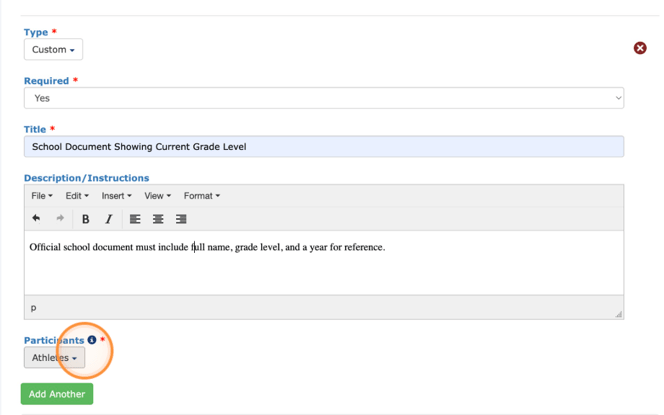
8. Fill out all necessary information, then choose the participants you'd like this requirement to apply to
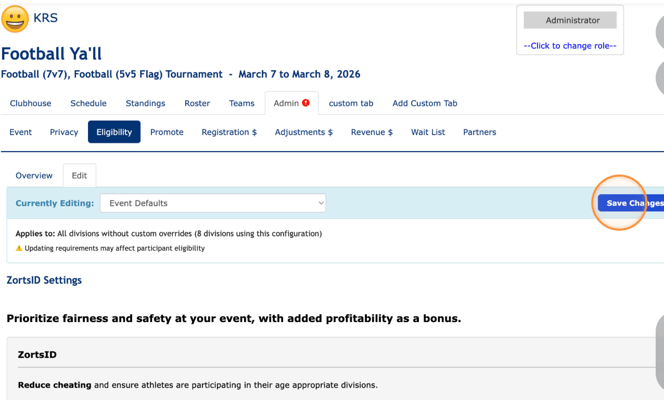
9. Click 'Back to Top' and then 'Save Changes' to save.
### 
### Review the Upload Requirements
1. Click the **Roster \> Eligibility** tabs
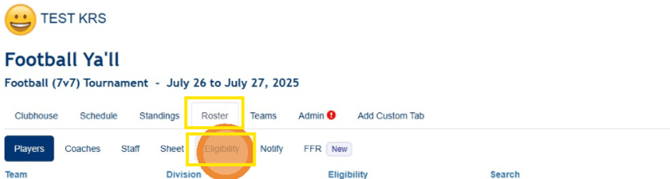
2. Review the uploaded documents
- **To Reject**: Leave a comment for the participant so they know what correction needs to be made
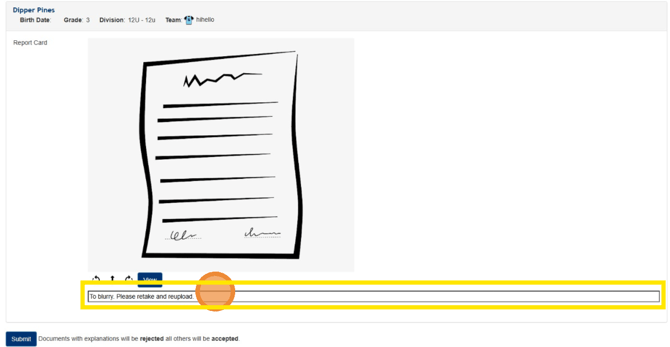
- **To Accept**: Do NOT leave any comment
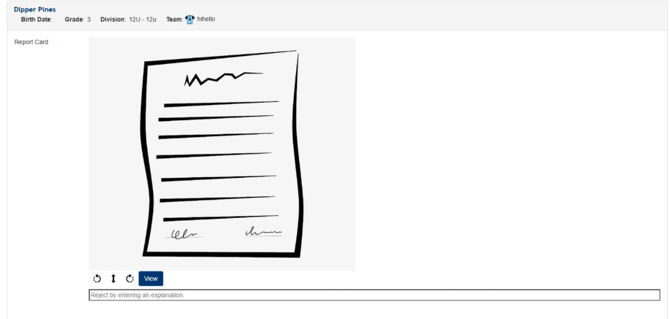
3. Review ALL of the documents shown on the page then click 'Submit'
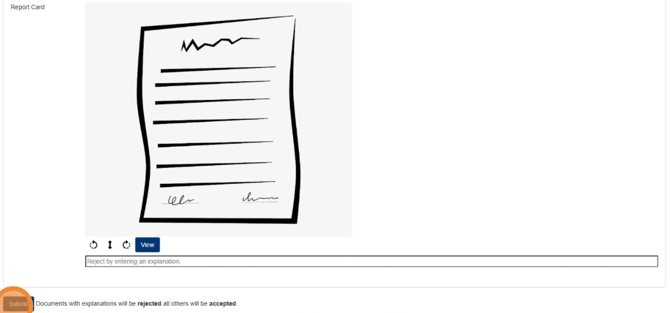
4. Once submitted all documents **with comments** will be **Rejected**.
Documents **without comments** will be **Accepted**
> IMPORTANT NOTE: At this time, **Coach** Documents will not display here under the **ROSTER \>ELIGIBILITY** tabs.
>
> To review your Coach's document requirements, please go to **Roster \> Coaches** and click into each roster entry individually.
- [Coaches](https://zorts.zortssports.com/knowledge-base/coaches?hsLang=en)
- [Participants](https://zorts.zortssports.com/knowledge-base/participants?hsLang=en)
- [Event Administrators](https://zorts.zortssports.com/knowledge-base/event-administrators?hsLang=en#main-content)
- [Payment Management](https://zorts.zortssports.com/knowledge-base/event-administrators?hsLang=en#payment-management)
- [Coaches and Event Administrators](https://zorts.zortssports.com/knowledge-base/coaches-and-event-administrators?hsLang=en)
- [STRIPE Training](https://zorts.zortssports.com/knowledge-base/stripe-training?hsLang=en)
[](http://zortssports.com)
Copyright © 2025, Zorts