---
title: How to Sign an E-Signature Waiver
description: How to Sign a Waiver
---
[Skip to content](https://zorts.zortssports.com/knowledge-base/how-to-sign-a-waiver#main-content)
English
Show submenu for translations

Open main navigation
Close main navigation
- English
Show submenu for translations
- [Help](https://zorts.zortssports.com/support_ticket)
[Help](https://zorts.zortssports.com/support_ticket?hsLang=en)
How can we help you?
- There are no suggestions because the search field is empty.
1. [Zorts Knowledge Base](https://zorts.zortssports.com/knowledge-base?hsLang=en)
2. [Participants](https://zorts.zortssports.com/knowledge-base/participants?hsLang=en)
# How to Sign an E-Signature Waiver
## Below are step-by-step instructions on how to sign a waiver for your event eligibility requirements using the web, iPhone app, or Android app.
### Website
1. Navigate to [http://zortssports.com](http://zortssports.com/), log into your account, and select your event.
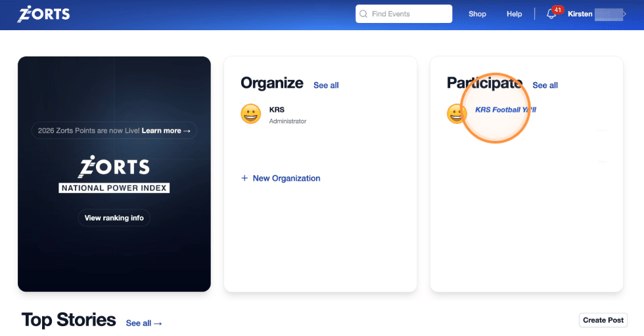
2. Select your **Eligibility** tab.

3. Scroll down and click "**View/Sign**".

4. Use your mouse to sign.
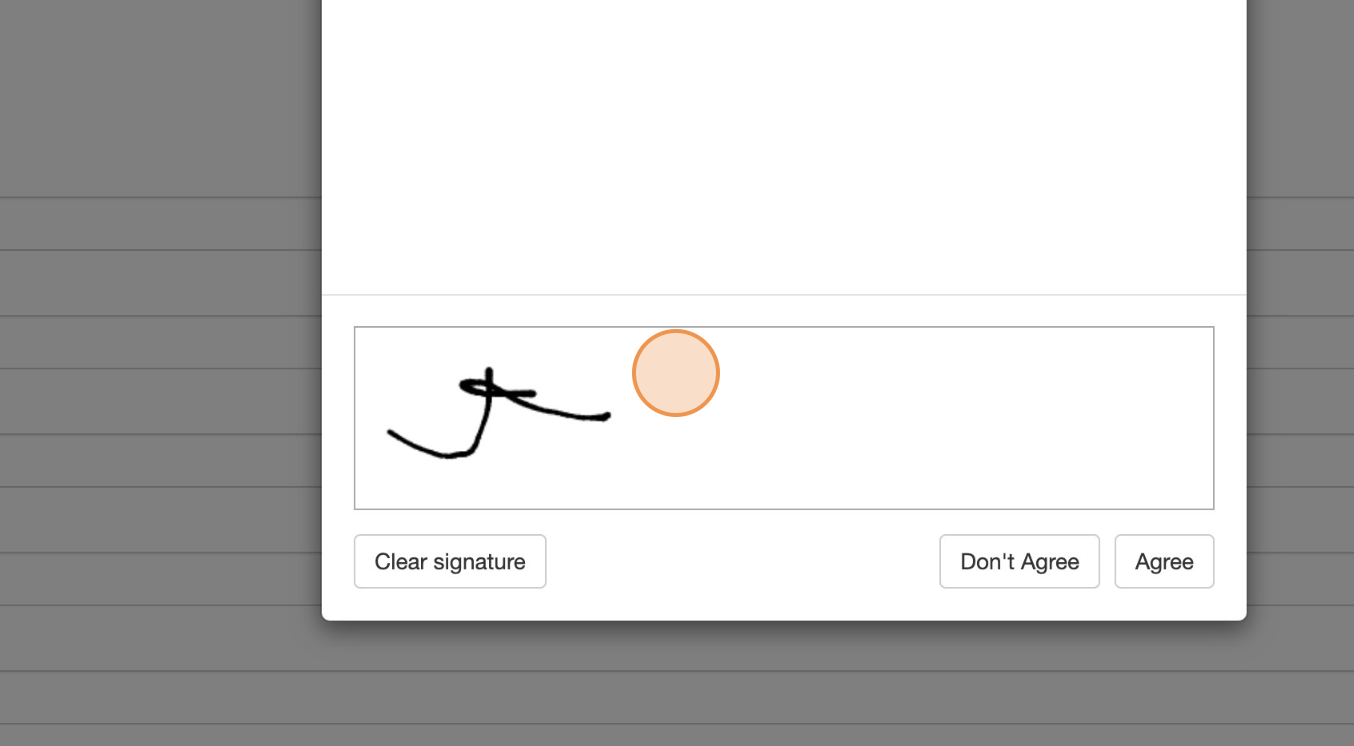
5. Click "**Agree**".
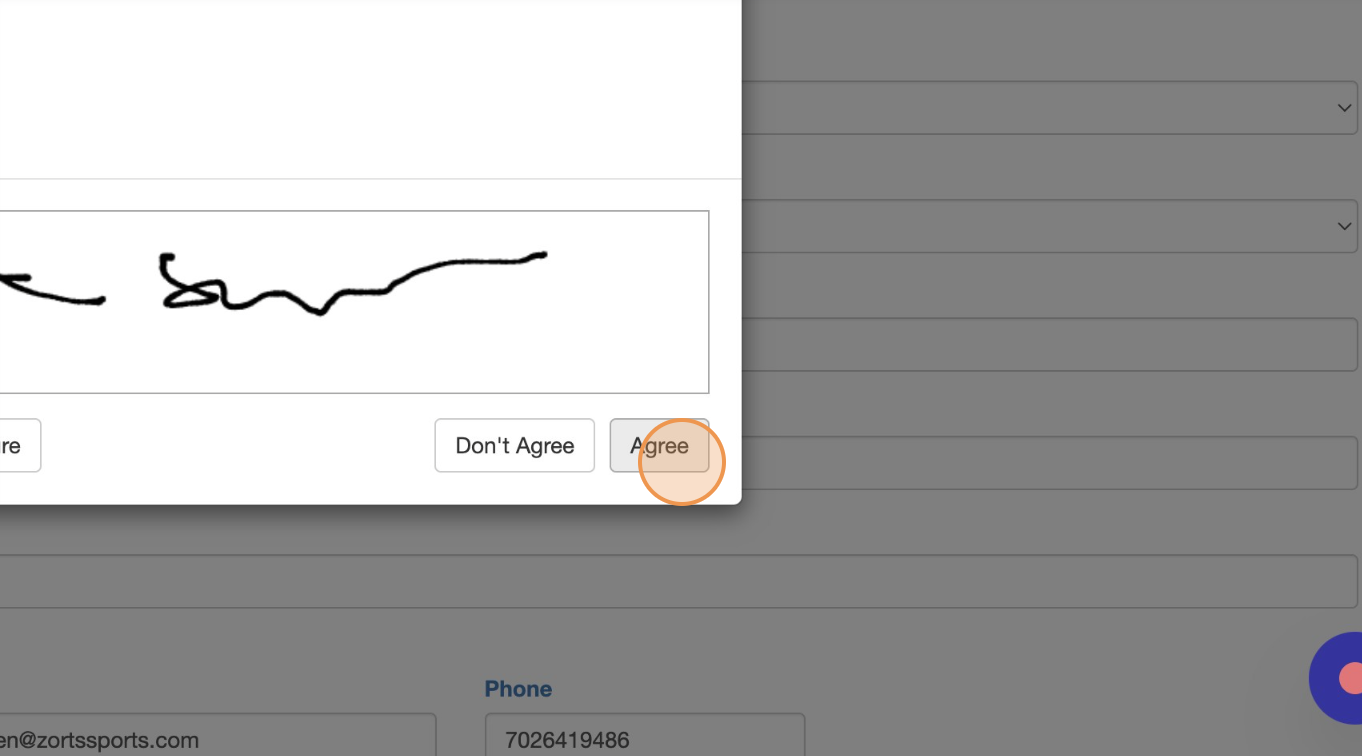
6. Click "**Submit**".

### iPhone
1. Log into your account on the Zorts iOS app, navigate to **Home** \> **Participate**, and select the event in question.
2. If you get a "Missing Items" message, click "**Fix Now**".
a. If you do not get this message, click "**Eligibility**" on the upper right hand side of the screen.
3. Click on the waiver.
 
4. Click "**Sign**".
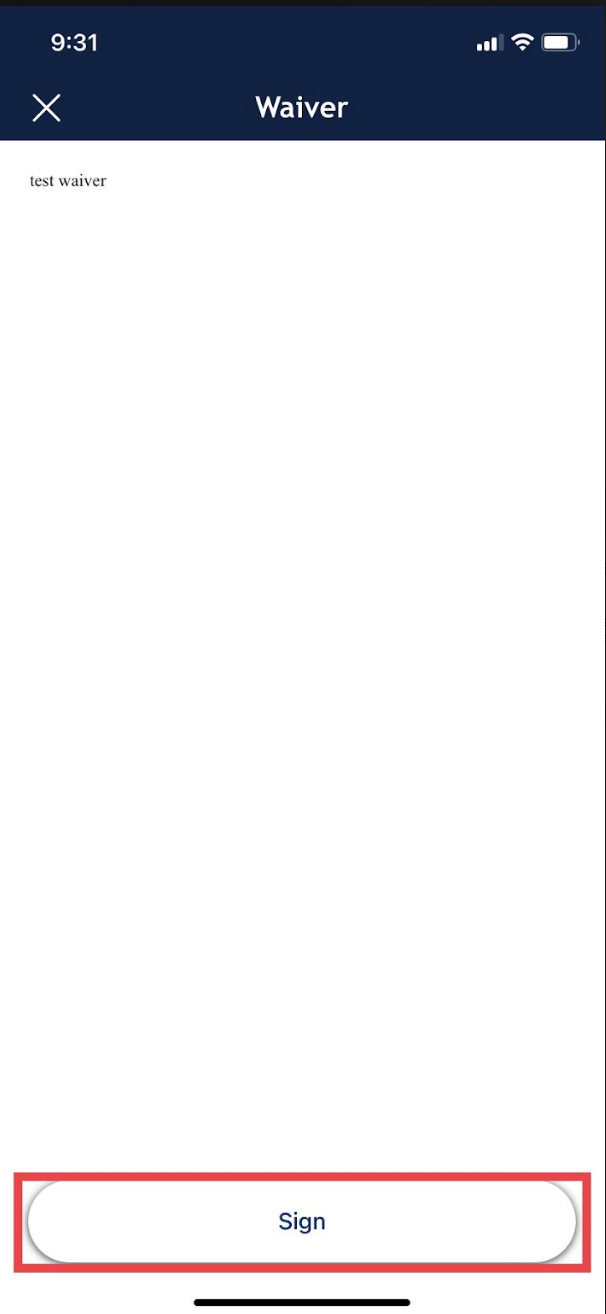
5. Sign the waiver and click, 'Submit'.
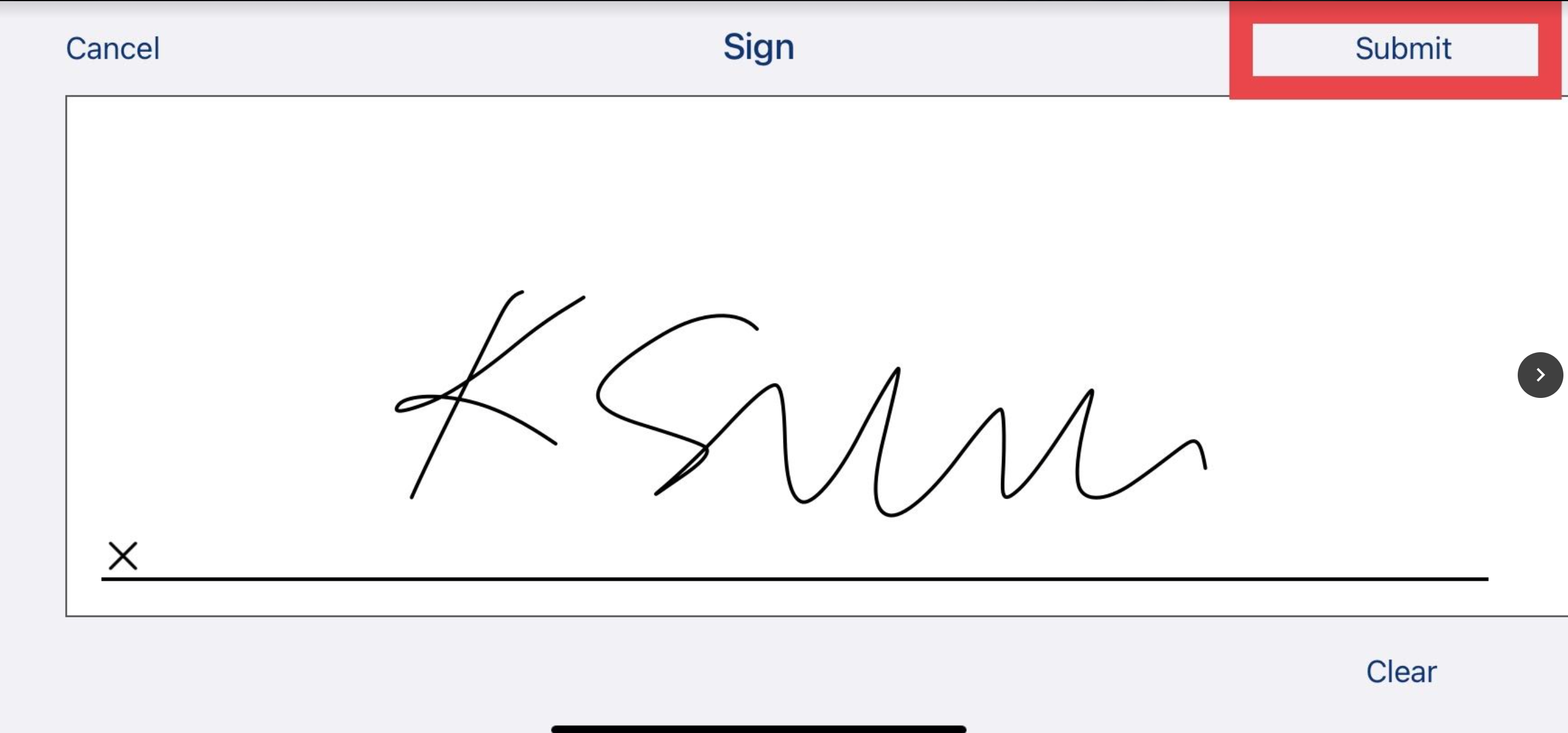.
### Android
1. Log into your account on the Zorts Android app, navigate to **Home** \> **Participate**, and select the event in question.
2. If you get a "Missing Items" message, click "**Fix Now**".
a. If you do not get this message, click "**Eligibility**" on the upper right hand side of the screen.
3. Click "**View/Sign**" under "Waiver".
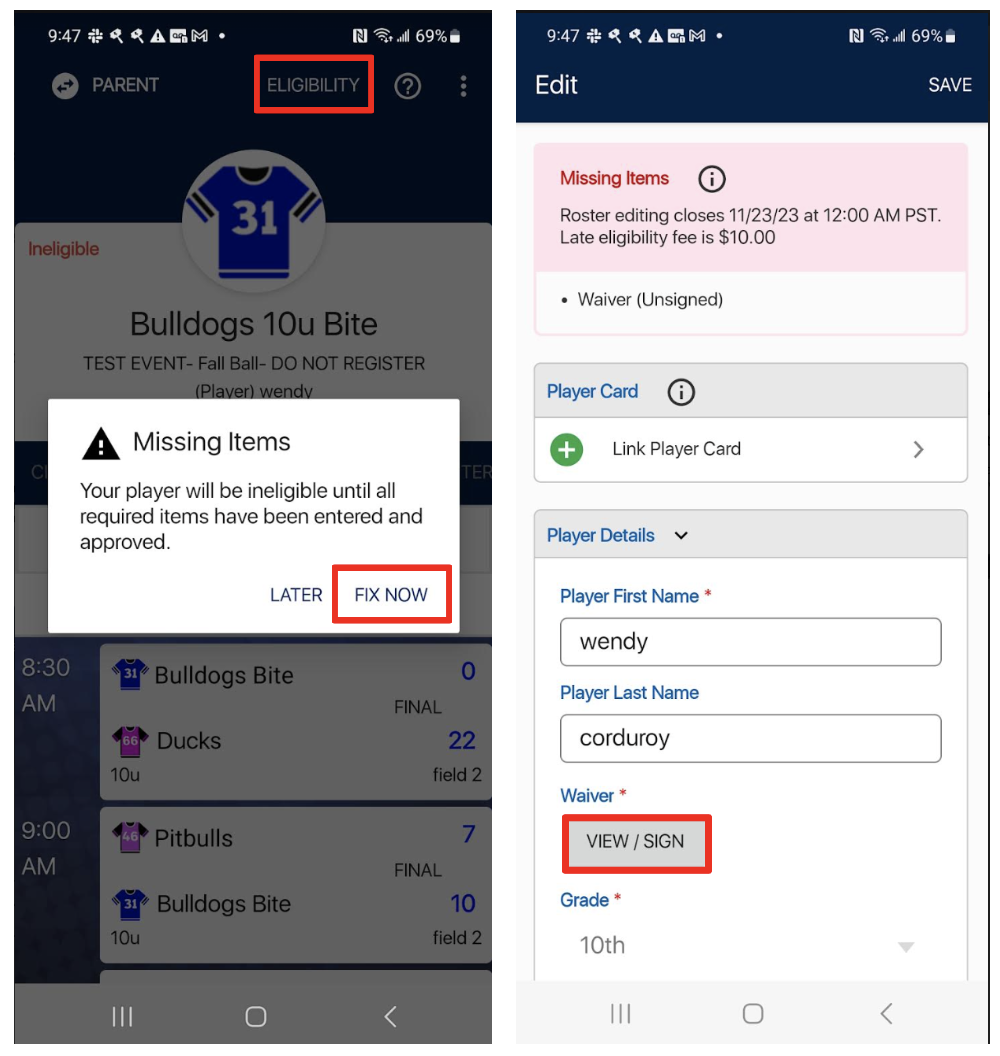
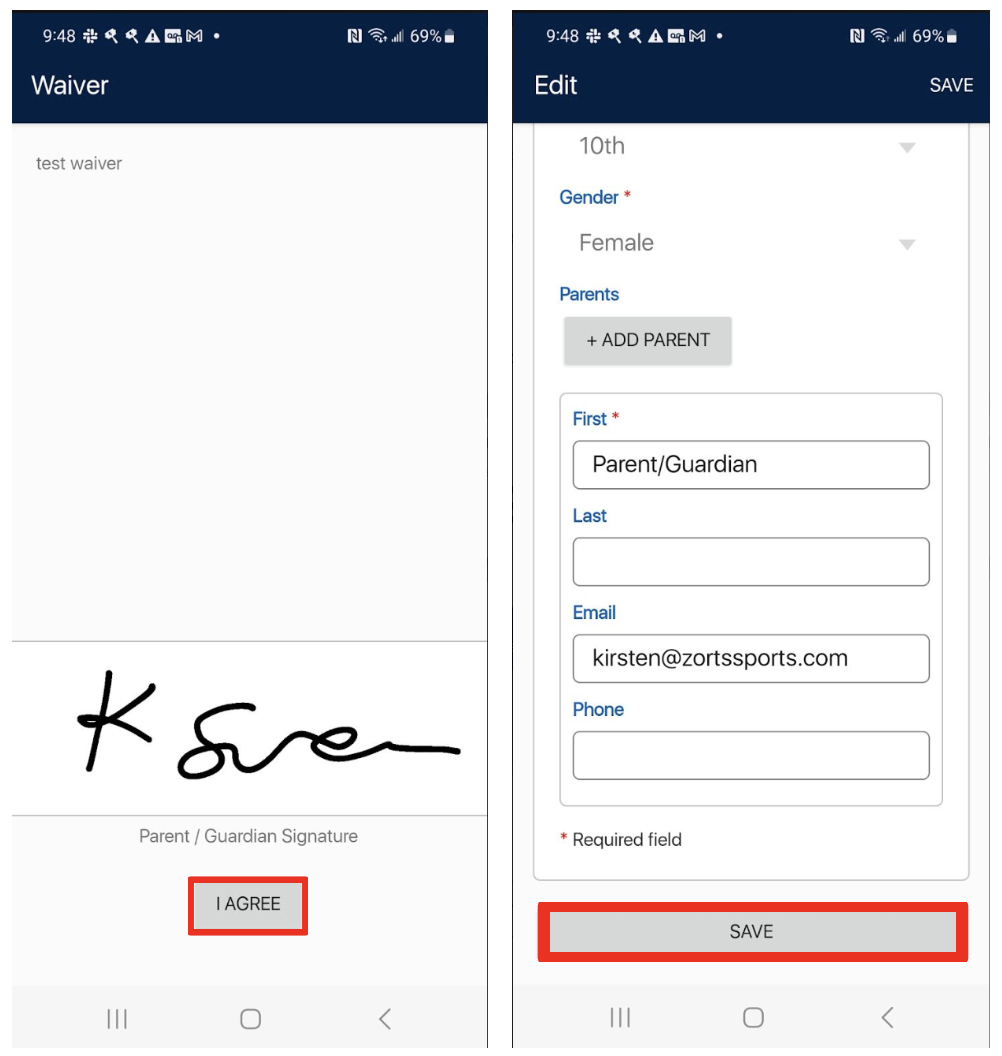
4. Sign the waiver and click "**I Agree**".
5. Scroll down and click "**Save**".
- [Coaches](https://zorts.zortssports.com/knowledge-base/coaches?hsLang=en)
- [Participants](https://zorts.zortssports.com/knowledge-base/participants?hsLang=en)
- [Event Administrators](https://zorts.zortssports.com/knowledge-base/event-administrators?hsLang=en#main-content)
- [Payment Management](https://zorts.zortssports.com/knowledge-base/event-administrators?hsLang=en#payment-management)
- [Coaches and Event Administrators](https://zorts.zortssports.com/knowledge-base/coaches-and-event-administrators?hsLang=en)
- [STRIPE Training](https://zorts.zortssports.com/knowledge-base/stripe-training?hsLang=en)
[](http://zortssports.com)
Copyright © 2025, Zorts