---
title: How to Upload a Waiver For Participants to Sign Electronically
description: How to Upload a Waiver For Participants to Sign
---
[Skip to content](https://zorts.zortssports.com/knowledge-base/how-to-upload-a-waiver-for-participants-to-sign#main-content)
English
Show submenu for translations

Open main navigation
Close main navigation
- English
Show submenu for translations
- [Help](https://zorts.zortssports.com/support_ticket)
[Help](https://zorts.zortssports.com/support_ticket?hsLang=en)
How can we help you?
- There are no suggestions because the search field is empty.
1. [Zorts Knowledge Base](https://zorts.zortssports.com/knowledge-base?hsLang=en)
2. [Event Administrators](https://zorts.zortssports.com/knowledge-base/event-administrators?hsLang=en)
# How to Upload a Waiver For Participants to Sign Electronically
## Below are step-by-step instructions for how to upload a waiver for participants to sign/E-Signature
> Uploading a waiver for E-Signature will require the set participants (players, coaches, or players and coaches) to complete this as an eligibility requirement.
> *This means that they can not become **Eligible** without completing this item.*
> **Be sure that you are using a computer to complete this set up.**
1. Navigate to [https://zortssports.com](https://zortssports.com/) and log into your account
2. Select your organization

3. Select the specific event
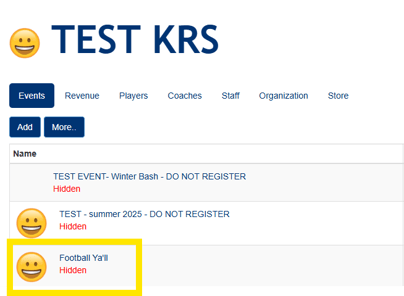
4. Click the **Admin \> Eligibility** tabs
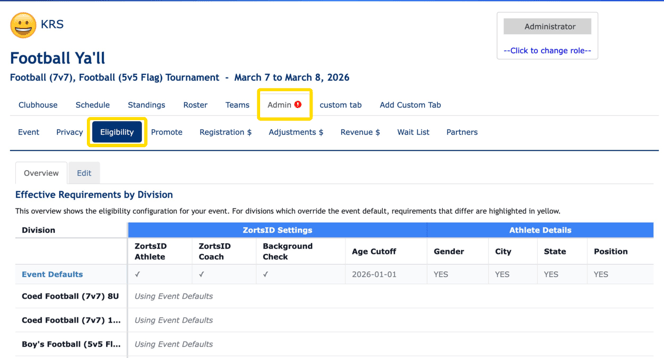
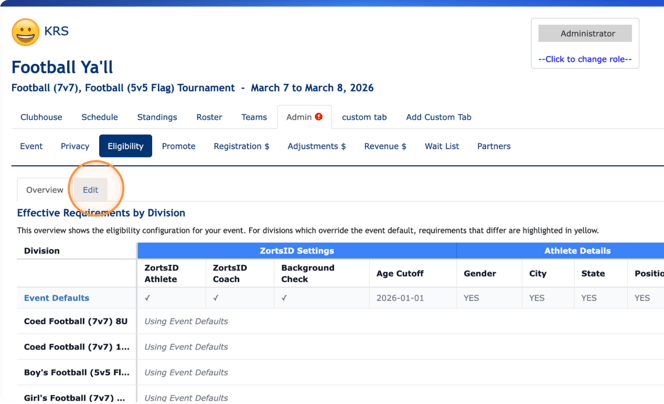
5. Click **Edit**
****
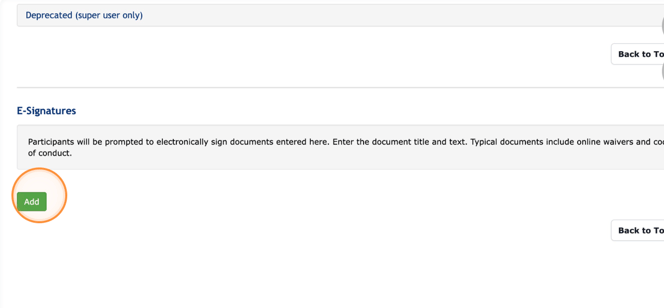
6\. Scroll down and click **Add** under the **E-Signature** section
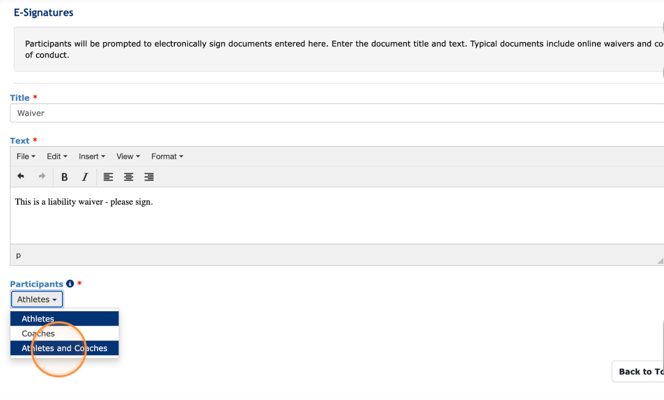
7. Fill in the waiver information including waiver **title**, waiver **text**, and the **participants** that need to complete the eligibility requirement.
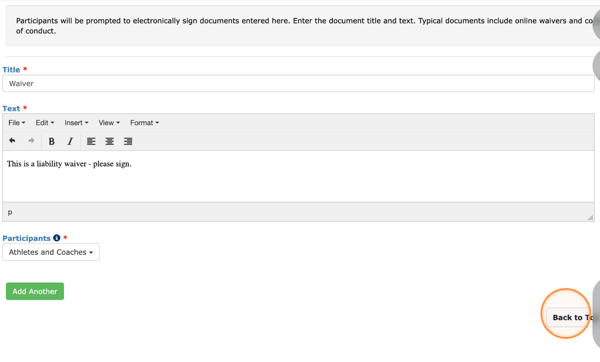
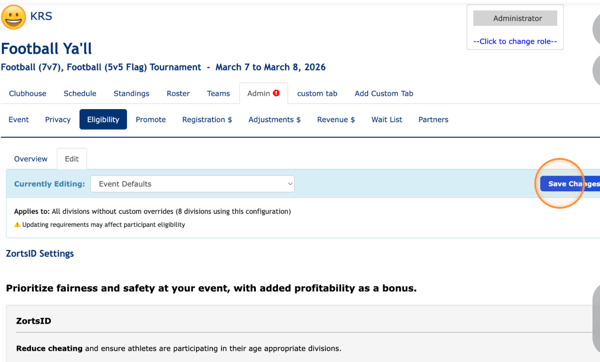
8. Click 'Back to Top' and then 'Save Changes' to save.
- [Coaches](https://zorts.zortssports.com/knowledge-base/coaches?hsLang=en)
- [Participants](https://zorts.zortssports.com/knowledge-base/participants?hsLang=en)
- [Event Administrators](https://zorts.zortssports.com/knowledge-base/event-administrators?hsLang=en#main-content)
- [Payment Management](https://zorts.zortssports.com/knowledge-base/event-administrators?hsLang=en#payment-management)
- [Coaches and Event Administrators](https://zorts.zortssports.com/knowledge-base/coaches-and-event-administrators?hsLang=en)
- [STRIPE Training](https://zorts.zortssports.com/knowledge-base/stripe-training?hsLang=en)
[](http://zortssports.com)
Copyright © 2025, Zorts