---
title: Limiting Player Participation To One Player Per Event
description: Limiting Player Participation To One Player Per Event
---
[Skip to content](https://zorts.zortssports.com/knowledge-base/limiting-player-participation-to-one-player-per-event#main-content)
English
Show submenu for translations

Open main navigation
Close main navigation
- English
Show submenu for translations
- [Help](https://zorts.zortssports.com/support_ticket)
[Help](https://zorts.zortssports.com/support_ticket?hsLang=en)
How can we help you?
- There are no suggestions because the search field is empty.
1. [Zorts Knowledge Base](https://zorts.zortssports.com/knowledge-base?hsLang=en)
2. [Event Administrators](https://zorts.zortssports.com/knowledge-base/event-administrators?hsLang=en)
# Limiting Player Participation To One Player Per Event
## Below are the step by step instructions for limiting participation to one participant per event. This action will only allow a participant to roster for one team with their ZortsID.
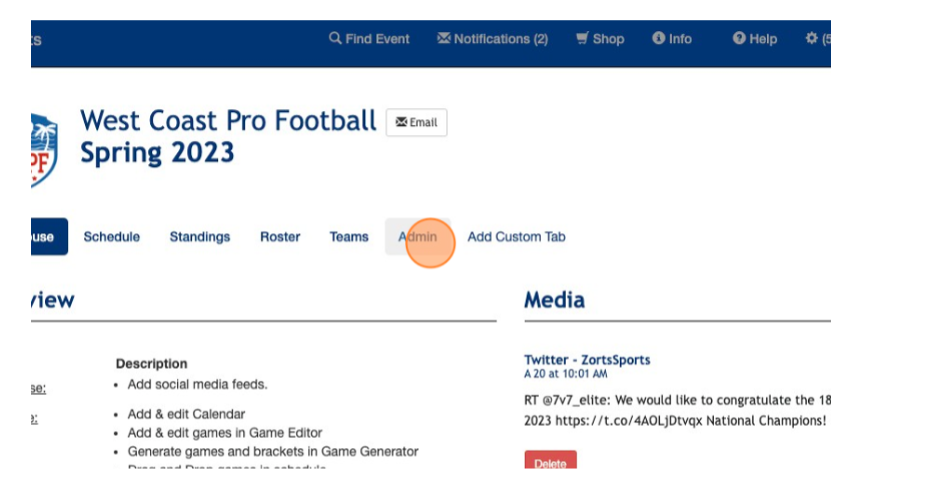
1\. Once logged in at [https://www.zortssports.com/](https://www.zortssports.com/) - please select your event and click on the "ADMIN" tab
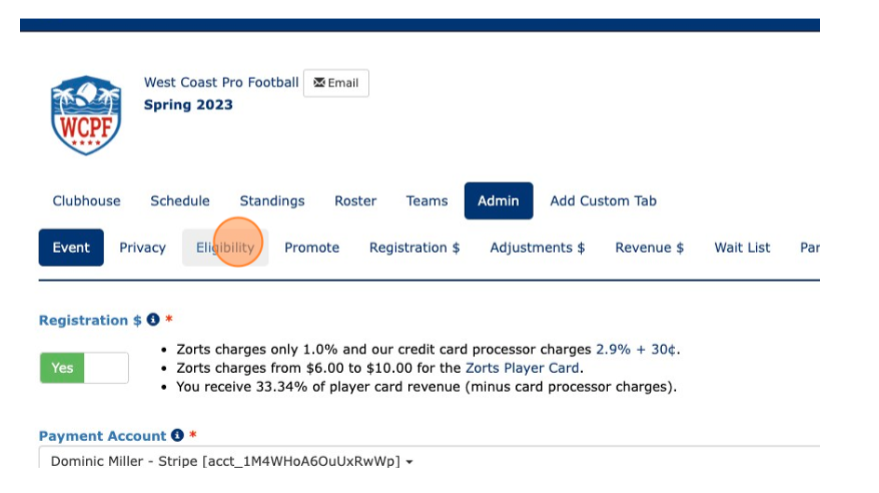
2\. Click on the "ELIGIBILITY" tab
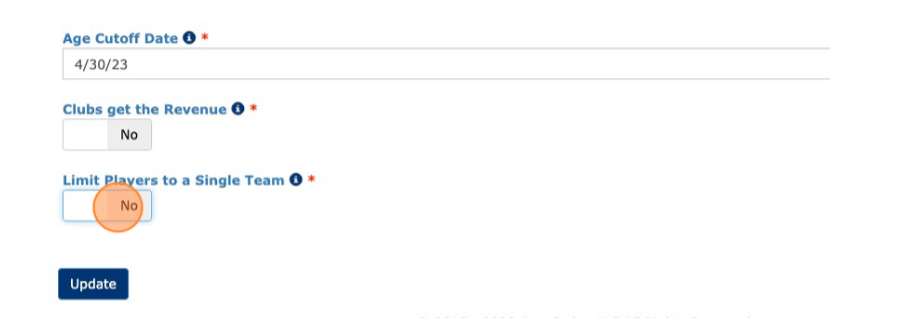
3\. Toggle to "YES" where it shows the option to *LIMIT PLAYERS/PARTICIPANTS TO A SINGLE TEAM* and then click "UPDATE" to save your changes
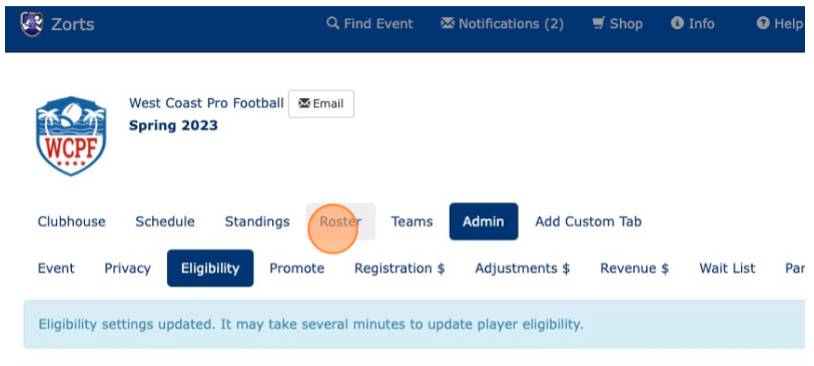
TIP: Upon enabling this feature, it is a good idea to check right away, for existing duplicates in the rosters for your event. To do so, please follow the step by step instructions below.
1\. Click the "ROSTER" tab
2\. In the players/participants section, click the "MORE" button that appears just above the roster entries
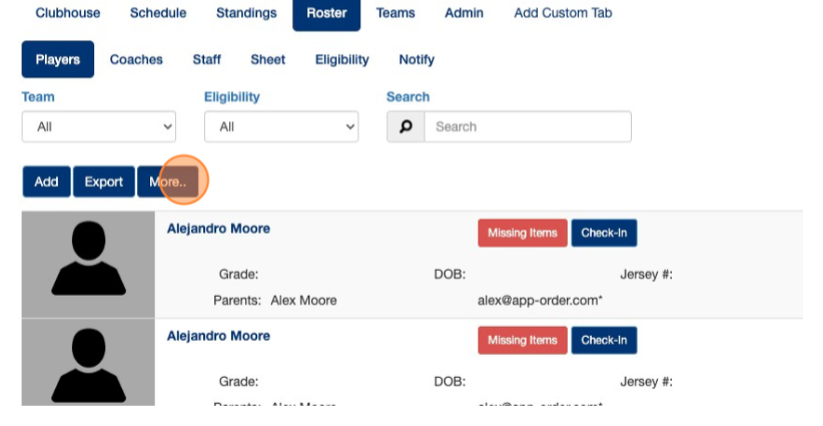
3\. Select the option listed as "PLAYERS/PARTICIPANTS ON MULTIPLE TEAMS"
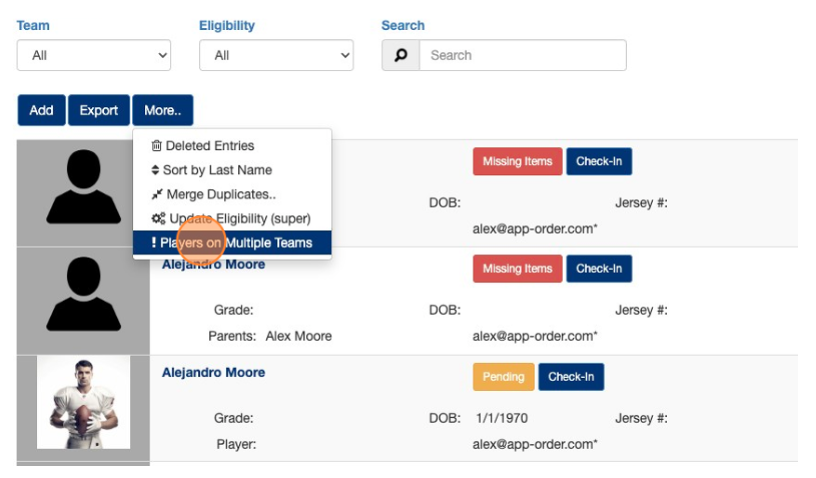
Note: This option will be become visible after enabling this feature
4\. View Duplicates
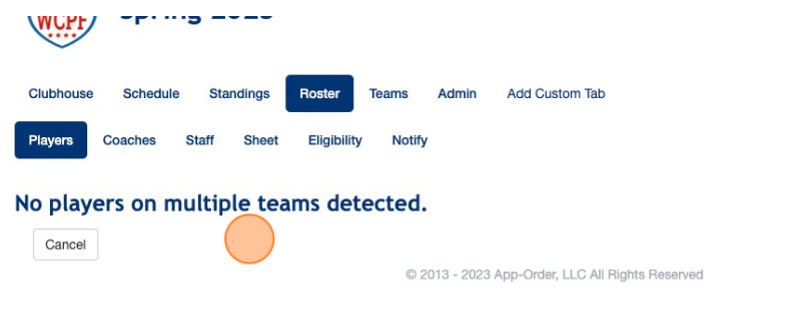
NOTE: If any participants are currently eligible with overlapping and similar traits, they'll be displayed here for admin review. The admin can select which copy to clear or identify the issue and contact relevant parties to resolve it. If the message appears as in the picture above, then we have not identified any entries which are likely to be multiple instances of the same participant.
- [Coaches](https://zorts.zortssports.com/knowledge-base/coaches?hsLang=en)
- [Participants](https://zorts.zortssports.com/knowledge-base/participants?hsLang=en)
- [Event Administrators](https://zorts.zortssports.com/knowledge-base/event-administrators?hsLang=en#main-content)
- [Payment Management](https://zorts.zortssports.com/knowledge-base/event-administrators?hsLang=en#payment-management)
- [Coaches and Event Administrators](https://zorts.zortssports.com/knowledge-base/coaches-and-event-administrators?hsLang=en)
- [STRIPE Training](https://zorts.zortssports.com/knowledge-base/stripe-training?hsLang=en)
[](http://zortssports.com)
Copyright © 2025, Zorts