
- Log in to Your Stripe Dashboard
- Access your Stripe account by logging into the Stripe Dashboard.
- You can log in to your Stripe account here: Stripe Dashboard
- You can log in to your Stripe account here: Stripe Dashboard
- Access your Stripe account by logging into the Stripe Dashboard.
- Complete Any Required Verification
- If Stripe is requesting additional verification, complete any outstanding steps, as payouts may be delayed until your account is fully verified.
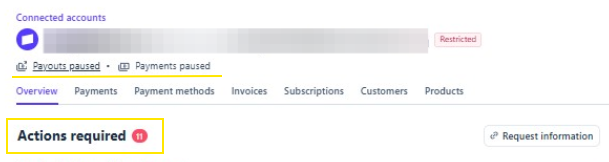
- If Stripe is requesting additional verification, complete any outstanding steps, as payouts may be delayed until your account is fully verified.
- Review Your Payouts
- Navigate to the Payouts section to view:
- Completed deposits
- Upcoming payouts
- Any pending payout
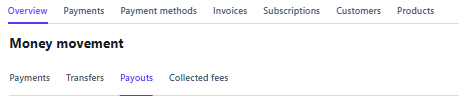
- Navigate to the Payouts section to view:
- Check Your Payout Schedule
- Review the payout schedule configured for your Stripe account.
- Deposits are sent according to the payout schedule you selected when your Stripe account was created.
- For additional information about payout timing and schedules, you can review: Stripe Payout Schedule